Split Hero
A corporate-site hero: copy, two CTAs, and stats on the left; a pure-CSS browser-window site preview on the right. No image assets required.
PagesPGE-01
LIVE DESIGN LIBRARY
UI designs from First CH's production work, stocked with source code and an AI Script. Copy one straight into your next project.
How to use the library →A corporate-site hero: copy, two CTAs, and stats on the left; a pure-CSS browser-window site preview on the right. No image assets required.
An editorial hero built around an oversized serif display line on white. A cascading blurred-bar motif, a vertical scroll indicator, and an underline-wipe text CTA create premium negative space with zero image assets. Optional Lenis smooth scrolling via the smoothScroll prop.
A full-bleed hero whose key visual is split into a 4x3 tile grid that lands back into one seamless photograph. A white scrim keeps Japanese copy legible, and a hairline rule groups the summary items instead of cards. The reveal is pure CSS @keyframes with animation-fill-mode: backwards, so it needs no JS and falls back to the finished state on SSR and under reduced motion. Swap the text-free background KV via the imageSrc prop.
A hero whose Canvas 2D particles sit on a measured grid rather than at random: the pointer repels them and a spring with damping pulls them home, so order dissolves and reforms in a way that echoes the gallery's dotted specimen grid. Particles near the pointer shift to amber (#d97706). Velocity and damping are normalised by delta time so 120Hz displays don't run double speed, and the rAF loop stops on three conditions — prefers-reduced-motion, off-screen (IntersectionObserver) and hidden tab. After a pause, a Lissajous virtual pointer takes over so the effect still reads on touch devices. No dependencies, no image assets.
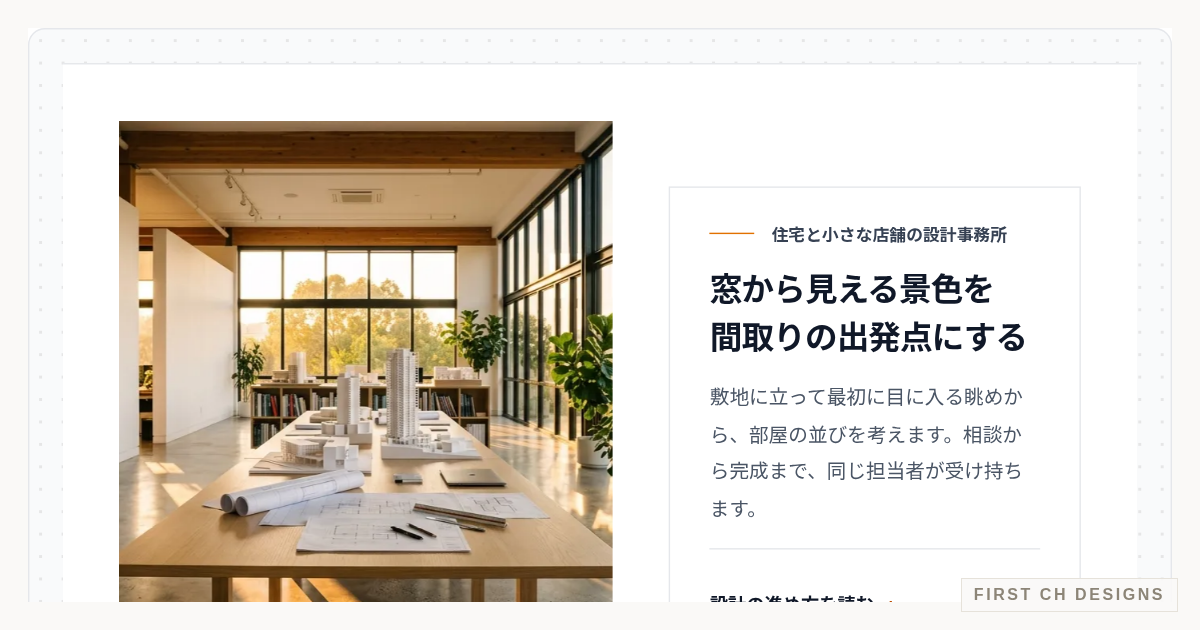 Zoom-Through Heading Hero (Letter-Shaped Window)A hero whose photo is first visible only through the shape of an oversized word. As you scroll, the letter-shaped window grows, dives into the stem of a letter, and opens onto a full-bleed photo. The section is pinned and its progress is derived from scroll position alone, so scrolling back plays the transition in reverse. The window is a white SVG layer with the word cut out by a mask, so the photo itself is never masked and stays sharp while zooming. The zoom origin sits at the center of the letter I's stem, and the maximum scale is computed from the measured stem width so it always covers the viewport. A real-text heading and lead sit on a white plate in front, staying readable after the photo fills the screen. A plate button jumps between the full photo and the heading, and the next-section link moves focus to its target, so the whole interaction works from the keyboard. With reduced motion, it becomes a static side-by-side hero of photo and heading. No dependencies; only transform and opacity are animated.
 Image Hotspots — Numbered Pins with Notes on a PhotoAn annotation block that places numbered pins on a single photo of a shop interior or product; pressing a pin opens a note about that spot. Pin positions are stored as fractions of the original photo, and the frame uses container-type: size so CSS calc with cqw/cqh units reproduces the object-fit: cover math — change the crop (2:1, 3:2, 4:3) and every pin stays on the same object. Each pin is a named button tied to the note with aria-expanded and aria-controls; Previous and Next walk the pins in order, and the close button or Escape closes the note and returns focus to the pin. Arrow keys and Home/End move between pins, so the whole thing works from the keyboard. When the frame is narrow or pins sit too close together, pins shrink to small number tags and the note moves below the photo instead of covering it. The same notes are also listed below the photo as a numbered list for screen readers and print. The note fades in using only opacity and transform, and motion stops under prefers-reduced-motion. No new dependencies.
 Photo Gallery — Masonry Layout with Zoom LightboxA photo gallery that packs images of mixed aspect ratios into a gap-free masonry wall and opens the one you press into a full-screen view that grows out of its thumbnail. Instead of stacking columns, each photo gets flex-grow and flex-basis proportional to its aspect ratio inside a wrapping row, so visual order, DOM order and Tab order always match and every photo in a row shares one height while filling the row exactly — no JS measuring. The viewer is a native dialog opened with showModal; a FLIP animation cancels out the offset from the thumbnail with transform and plays it back, and Escape or the close button shrinks the photo back along the same path. The dialog is named, marked aria-modal, puts initial focus on the close button, keeps Tab cycling inside, and returns focus to the thumbnail of the photo on screen. Close, previous and next buttons are always visible, arrow keys, Home/End and horizontal swipes also navigate, and each change is announced. Every photo carries descriptive alt text, and prefers-reduced-motion removes the grow, shrink and slide motion so changes happen instantly. No new dependencies.
 Sortable & Filterable Spec TableA dense spec comparison table with products as rows and price, capacity, output, weight, charge time, dimensions and features as columns. Buttons inside the column headers toggle ascending/descending order and update aria-sort on the th; chips above narrow the list by weight and supported features. The result count and current order are announced through an aria-live region, and all conditions can be cleared at once. When nothing matches, the table suggests which single condition to drop and how many products that would bring back. On narrow screens the product column stays pinned while the rest scrolls horizontally, with edge shadows that show more content is available. Rows glide to their new position only when the order changes, and snap instantly under reduced motion. Built with hairline rules and whitespace, without rounded corners, English kickers or arrow links. Zero images, zero extra dependencies.
A corporate-site hero: copy, two CTAs, and stats on the left; a pure-CSS browser-window site preview on the right. No image assets required.
An editorial hero built around an oversized serif display line on white. A cascading blurred-bar motif, a vertical scroll indicator, and an underline-wipe text CTA create premium negative space with zero image assets. Optional Lenis smooth scrolling via the smoothScroll prop.
A full-bleed hero whose key visual is split into a 4x3 tile grid that lands back into one seamless photograph. A white scrim keeps Japanese copy legible, and a hairline rule groups the summary items instead of cards. The reveal is pure CSS @keyframes with animation-fill-mode: backwards, so it needs no JS and falls back to the finished state on SSR and under reduced motion. Swap the text-free background KV via the imageSrc prop.
A hero whose Canvas 2D particles sit on a measured grid rather than at random: the pointer repels them and a spring with damping pulls them home, so order dissolves and reforms in a way that echoes the gallery's dotted specimen grid. Particles near the pointer shift to amber (#d97706). Velocity and damping are normalised by delta time so 120Hz displays don't run double speed, and the rAF loop stops on three conditions — prefers-reduced-motion, off-screen (IntersectionObserver) and hidden tab. After a pause, a Lissajous virtual pointer takes over so the effect still reads on touch devices. No dependencies, no image assets.
A hero whose background is a single full-screen triangle rendered by one fragment shader: blobs of refracting glass over the gallery's dotted specimen grid. No 3D library — plain WebGL with GLSL ES 1.00, so the same shader runs on both webgl2 and webgl contexts and the dependency list stays empty. The grid and the amber diagonal band are drawn procedurally inside the shader rather than sampled from a texture, and refraction is simply re-sampling that function offset along the surface normal, with chromatic dispersion at 1.035 / 1.00 / 0.965 per channel. The blobs are circle SDFs combined with a polynomial smooth-minimum, so they neck and melt into one another as they approach, and modulating the viscosity over time makes the field breathe. The pointer acts as a sixth blob; after a pause a Lissajous virtual pointer takes over so the effect reads on touch devices. Low-end hardware is handled by a two-step resolution drop — if the mean frame time over the first 48 frames exceeds 32ms the backing store falls to 0.6x, and if it still does the loop stops and a static CSS gradient takes its place. Under prefers-reduced-motion the same shader paints one frozen frame instead of animating, and rendering also stops off-screen (IntersectionObserver) and on hidden tabs. webglcontextlost is always caught with preventDefault, and unmounting releases the GPU resources via WEBGL_lose_context. All copy, colour and composition are original; no image assets.
A hero for projects that ask for real-time 3D on the web. Three specimens — polished metal, glazed ceramic and cast glass — can be swapped to show material work, yet the block ships no model files and no texture images: the shapes are generated in code with TorusKnot, Lathe (the vessel profile comes from a function) and Extrude (rounded shape with a bevel). Reflections come from a studio built in code — a white box with four emissive panels — folded into an environment map by PMREMGenerator.fromScene(), so PBR reflections read as real area lights without loading an HDRI, and the amber back panel tints the highlights on brand. Three lights are used: a shadow-casting directional key with PCF shadows, an amber point light for the rim, and a hemisphere fill. The only shadow catcher is a ShadowMaterial floor, which keeps the white page clean while grounding the object. Entrance, exit and float are driven by an AnimationMixer: keyframe tracks such as VectorKeyframeTrack('.scale') are assembled by hand, so a timeline is available even without an animated model. The specimen switcher lives in the hairline ledger below the canvas as real buttons with aria-pressed, so everything is reachable by keyboard. Adding three is the single exception to this gallery's zero-dependency rule, taken only because PBR materials, environment maps, shadows and animation are not worth hand-writing in raw WebGL; anything raw WebGL covers well (planes, shader backdrops, particles) stays dependency-free elsewhere. The measured cost of the exception (three 0.185, production build) is one extra chunk of 725,217 bytes (~708KB), 181,641 bytes (~177KB) gzipped, and it is never imported statically: a dynamic import inside useEffect splits it into its own chunk that loads only where 3D is actually shown (scaled-down previews are detected via rect.width / offsetWidth and never load it). Under prefers-reduced-motion neither the auto-rotation nor the timeline runs and a single frame is drawn; when WebGL is unavailable, the context is lost or the frame budget is missed, it falls back to a static panel.
A hero split into three vertical columns: a text panel, a thin divider rail, and a visual panel. The visual panel breaks into six vertical bands, each holding one colour block of differing position and length that rises from below, staggered by 90ms so the eye is pulled from the visual across to the headline. Zero image assets and zero JS: animation-fill-mode backwards means the finished layout is what renders on SSR, with JS disabled, and under reduced motion. Summary facts are grouped by hairline rules and whitespace instead of cards.
A hero where the opening screen itself becomes a horizontal gallery: the cover is frame one, and vertical scroll progress maps onto a four-frame rail. The pacing is deliberately uneven — the scroll budget alternates between travel and dwell, so the rail halts on arrival while each frame's label, heading, lead, two figures and diagram stagger in before it moves on. Dwells are empty tweens inside a scrubbed GSAP timeline, a rhythm you cannot express by multiplying a single progress variable into a transform. Pinning uses the transform method rather than fixed, so the stage never escapes a bordered or padded container. The cover's table of contents and the top index both jump to a frame by converting a timeline label's time back into a scroll offset, so scroll position stays the single source of truth and no horizontal input is added. Type scales against the frame itself via container query units, so an embedded stage never gets headings sized for the viewport. Zero image assets; diagrams are drawn from hairline rules and amber shapes. Inside scaled previews it stays on the cover, and under reduced motion it degrades to four frames stacked vertically.
A page layout for long legal documents — terms of service, privacy policies, statutory notices — built purely for readability. Every navigation path (the sticky clause index, inline cross-references, and the revision log's affected-article links) resolves to the same jump target, and the destination is marked by a briefly overlaid tint rather than a colour transition. The article/paragraph/item hierarchy is expressed with hanging numerals and hairline rules instead of indentation, so line starts stay aligned at any width. Measure is set in em, so switching between the normal and large type sizes keeps roughly 46 Japanese characters per line. The revision log sits at the end in descending date order. No rounded corners, no decoration, no scroll reveals. Sample text is fictional. Zero images, zero dependencies.
A standalone landing page for after a contact form is submitted. Instead of a congratulatory headline, the top of the page states when a reply will arrive: the deadline is computed from the submission time against business hours (weekdays 10:00–19:00, rolling over weekends and holidays) and shown as an absolute timestamp. Includes a copyable reference number, a fallback route if no reply arrives, and exactly three things to read while waiting. Designed for a dedicated URL so analytics tags fire on arrival; the onConversion prop is called once per session. No rounded corners, no scroll reveal, no images, no dependencies.
A complete article body layout for blogs and columns. Headings are written as questions, and the sticky index pairs each question with a one-line answer, so the argument is readable before the body and every section stands alone as a quotable unit. Footnotes, figure notes and sources sit in the right margin aligned to the paragraph that cites them, and collapse under that paragraph on narrow screens from the same DOM. Body marker to note, note to source, and source back to the citing passage are all linked. Includes a pull quote, figure caption and reference list, with no decorative boxes: a 38-character measure, 2.0 line height and hairline rules do the work. All copy is fictional sample text.
A hero where four full-bleed photos cross-fade while slowly zooming and panning. The headline stays fixed above the photos, and a dark bottom gradient keeps the white copy legible whatever the photo brightness. A white control strip below the photos shows the slide number and caption, progress bars that count down to the next slide, previous and next buttons, and an always-visible pause and play button (WCAG 2.2.2). Hovering pauses it temporarily; keyboard focus entering the hero stops it until the visitor presses play. Hidden slides are removed from screen readers and tab order with aria-hidden and inert. The next slide is triggered by the end of the progress bar's CSS animation, so pausing only flips animation-play-state and the zoom, the progress and the timer all stop together. Under prefers-reduced-motion the autoplay and zoom are off and only manual switching remains, and it also stops while off screen or in a hidden tab. The photos are text-free generated images that can be swapped in the SLIDES array. No dependencies.
A hero whose photo is first visible only through the shape of an oversized word. As you scroll, the letter-shaped window grows, dives into the stem of a letter, and opens onto a full-bleed photo. The section is pinned and its progress is derived from scroll position alone, so scrolling back plays the transition in reverse. The window is a white SVG layer with the word cut out by a mask, so the photo itself is never masked and stays sharp while zooming. The zoom origin sits at the center of the letter I's stem, and the maximum scale is computed from the measured stem width so it always covers the viewport. A real-text heading and lead sit on a white plate in front, staying readable after the photo fills the screen. A plate button jumps between the full photo and the heading, and the next-section link moves focus to its target, so the whole interaction works from the keyboard. With reduced motion, it becomes a static side-by-side hero of photo and heading. No dependencies; only transform and opacity are animated.
A call-to-action block for the bottom of a page: soft amber gradient panel with eyebrow, heading, and two buttons. A section-level specimen, not a component.
A three-tier pricing block. Only the recommended middle plan gets an amber border, ring, and filled button — for LPs and service pages.
Numbered process steps for content where order matters, like a production flow. Circled numbers connected by a hairline, laid out horizontally on desktop.
A card-less editorial take on a services / features section: instead of a 3-up card grid, entries stack vertically as full-width bands that alternate left/right (zigzag). Each row swaps a dotted 'plate' panel (with an oversized outlined index numeral) and un-boxed text via CSS grid order, grouped by hairline rules and generous whitespace. Zero image assets; amber rules and Montserrat display numerals give it a specimen-like editorial feel.
A declarative strengths/stats block that lets numbers do the talking. One KPI is placed as a dominant feature stat in giant type, with three supporting stats grouped by hairline rules below (few claims, clear hierarchy). Numbers count up from 0 via requestAnimationFrame once the section scrolls into view (IntersectionObserver), with tabular-nums to keep digit widths fixed and avoid jitter. Grouped with rules and negative space instead of cards — zero image assets. Reduced-motion users see final values instantly.
A works / case-study index block with high information density. Instead of a row of shadowed cards, entries sit in a hairline 'ledger' (gap-px on a gray fill), each with a faux logo lockup (monogram + wordmark, zero images), an industry tag, and a giant ghost index numeral for rhythm. On hover (and keyboard focus) the excerpt fades in and the arrow slides; the excerpt's height is always reserved so nothing reflows. An industry filter toggles cells via hidden (no reflow animation) and announces the count via aria-live. Staggered reveal on scroll-in via IntersectionObserver, instant final state under prefers-reduced-motion.
A testimonials block that leads with the quote and subordinates the attribution. One voice is placed as a dominant blockquote in large type, with the name/attribute added quietly beside an amber hairline. The remaining voices are grouped — not as cards — into a 'voice ledger' bound by a single vertical rail and divide rules. Instead of relying on Swiper, a shared keyframe is applied to each testimonial's rail marker with a staggered animation-delay, so a blinking highlight travels down the list in pure CSS (markers are anchored per row, so alignment holds even with variable row heights). Names follow the restrained style of medical sites (initials, age band, attribute) to avoid over-identifying individuals. Zero image assets; reduced-motion falls back to static markers and instant reveal.
A corporate global header: logo left, nav right, and exactly one CTA pinned to the far right behind a vertical hairline so the hierarchy is unmistakable. On scroll a blurred white backdrop fades in and a bottom hairline wipes in from the left — no height or padding changes, so nothing reflows. On mobile a hamburger opens a full-screen overlay (Escape to close, inert while hidden). Includes a skip link; zero image assets. Ships with a scrollable demo shell so the scroll state is visible inside the gallery.
A three-tier corporate footer organised by hairlines alone — no panels, no cards, no background fills, so the end of the page never outweighs the CTA above it. Tier one is the sitemap (services / company / legal); the divide flips from horizontal rules on mobile to vertical column rules on desktop from a single DOM. Tier two restates the logo small — wordmark only, so it does not duplicate the header — next to a one-line address and contact details. Tier three carries the copyright and a back-to-top control. An amber tick wipes in once on the top rule via IntersectionObserver; link hovers are a 2px nudge plus an underline scale-x. Zero image assets.
A wide horizontal CTA band to drop into the flow of a page: Japanese label, heading and a short lead on the left, primary/secondary buttons on the right, split by a single hairline rule rather than two boxes. The faint amber wash (bg-amber-50/60) is applied only to the action column so colour marks function, not decoration. The rule-based counterpart to cta-banner (BLK-01), which is a centred gradient panel. Zero image assets.
A photo gallery that packs images of mixed aspect ratios into a gap-free masonry wall and opens the one you press into a full-screen view that grows out of its thumbnail. Instead of stacking columns, each photo gets flex-grow and flex-basis proportional to its aspect ratio inside a wrapping row, so visual order, DOM order and Tab order always match and every photo in a row shares one height while filling the row exactly — no JS measuring. The viewer is a native dialog opened with showModal; a FLIP animation cancels out the offset from the thumbnail with transform and plays it back, and Escape or the close button shrinks the photo back along the same path. The dialog is named, marked aria-modal, puts initial focus on the close button, keeps Tab cycling inside, and returns focus to the thumbnail of the photo on screen. Close, previous and next buttons are always visible, arrow keys, Home/End and horizontal swipes also navigate, and each change is announced. Every photo carries descriptive alt text, and prefers-reduced-motion removes the grow, shrink and slide motion so changes happen instantly. No new dependencies.