
Zoom-Through Heading Hero (Letter-Shaped Window)
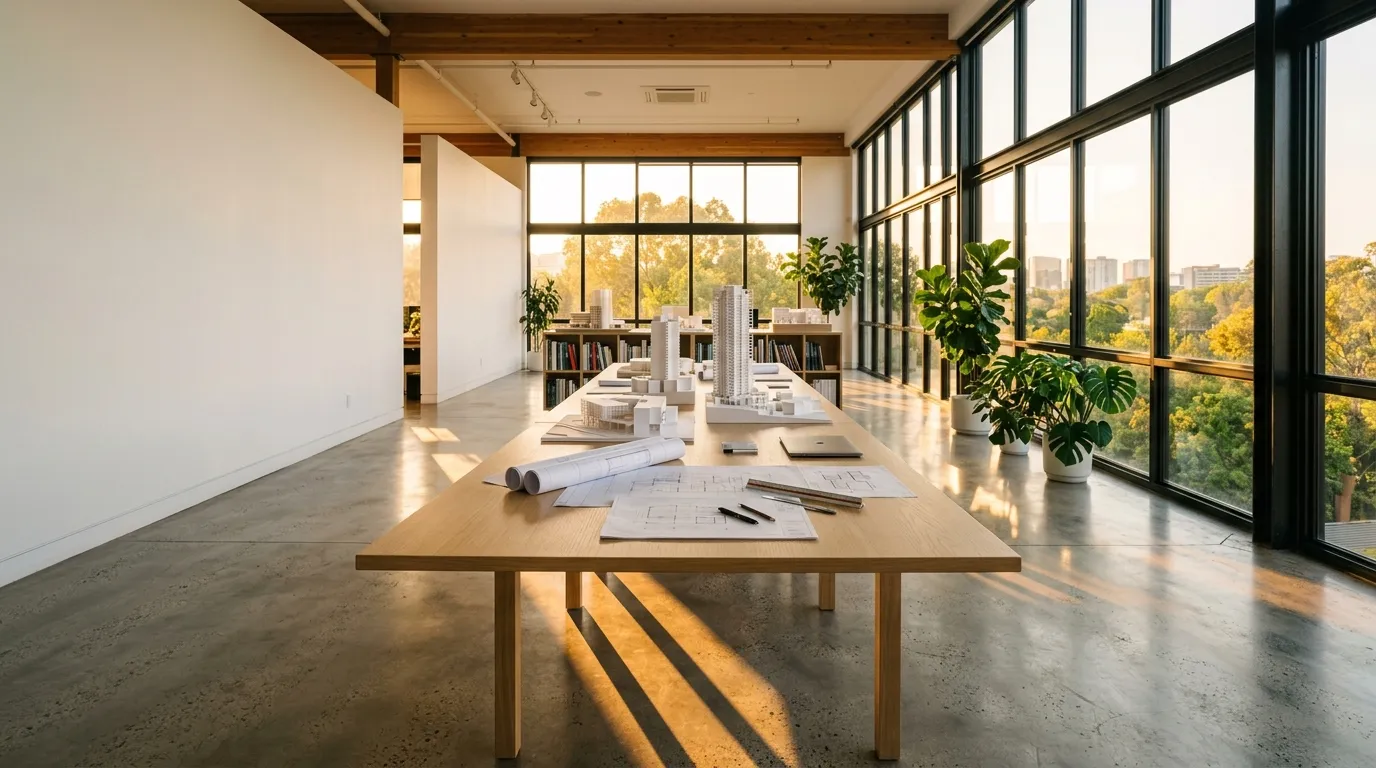
A hero whose photo is first visible only through the shape of an oversized word. As you scroll, the letter-shaped window grows, dives into the stem of a letter, and opens onto a full-bleed photo. The section is pinned and its progress is derived from scroll position alone, so scrolling back plays the transition in reverse. The window is a white SVG layer with the word cut out by a mask, so the photo itself is never masked and stays sharp while zooming. The zoom origin sits at the center of the letter I's stem, and the maximum scale is computed from the measured stem width so it always covers the viewport. A real-text heading and lead sit on a white plate in front, staying readable after the photo fills the screen. A plate button jumps between the full photo and the heading, and the next-section link moves focus to its target, so the whole interaction works from the keyboard. With reduced motion, it becomes a static side-by-side hero of photo and heading. No dependencies; only transform and opacity are animated.
- Added:
- 2026-10-21
- Dependencies:
- None
- tags
- #hero #page #scroll #scroll-zoom #text-mask #svg-mask #sticky #image #a11y #reduced-motion
Preview
スクロールで文字の中へ
設計の進め方
- 01
敷地に立つ
朝と夕方の2回、窓を設けたい位置から外を見て、光の入り方と視線の抜けを記録します。
- 02
景色から間取りを決める
残したい眺めを先に決め、そこへ向かって部屋の並びと天井の高さを組み立てます。
- 03
模型で確かめる
1/50の模型に同じ時刻の光を当て、窓の大きさと机の位置を一緒に調整します。
"use client";

import { useEffect, useId, useRef, useState } from "react";
import { Montserrat } from "next/font/google";

const montserrat = Montserrat({
  weight: ["600", "700", "900"],
  subsets: ["latin"],
  display: "swap",
});

/**
 * 文字の形の窓を通り抜けるスクロールヒーロー / Zoom-Through Heading Hero
 *
 * 差別化: 既存のヒーローは静止した構成・時間で替わる写真・横送り・背景演出のどれかで、縦スクロールに
 * 合わせて「文字の形の窓 → 写真の全面」へ入り込み、戻せば逆再生される遷移は持たない(透かし文字の
 * watermark-heading-section も文字組みの hero-editorial-typo も文字は動かない)。英字キッカー・「。」止め
 * 見出し・末尾の矢印リンク・角丸・マウント時の出現アニメはすべて外した。
 *
 * 汎用技法メモ:
 * - **窓は「白い面に文字の穴」**: SVG の <mask> に白い全面+黒い文字を描き、白い rect をそのマスクで
 *   抜く。写真は下の層に敷くだけなので、写真側には一切マスクを掛けない(拡大しても写真がぼけない)。
 *   rect は viewBox の外まで大きく取り、svg を overflow: visible にすると、文字の位置は viewBox の
 *   meet で決めたまま白い面だけが舞台全体を覆う。
 * - **viewBox は実測した文字の外形に合わせる**: フォント読込後に getBBox() で外形を測り、viewBox を
 *   そこへ書き換える。textLength で幅を合わせるより字形が正確で、getExtentOfChar() の値もそのまま使える。
 * - **「文字の中へ入る」= 太い縦画の中心を拡大の原点にする**: 原点を字の隙間に置くと拡大しても白い面が
 *   残る。縦画が字送りの中央にある「I」の字送り幅の中心 × 大文字の高さの中点を transform-origin にし、
 *   同時に translate でその点を舞台の中央へ寄せると、縦画が画面を満たして写真へ抜ける。倍率は縦画の
 *   実測幅から「画面幅を覆う量」を逆算し、最後の数%だけ白い面の opacity を落として取りこぼしを消す。
 * - **拡大は指数で進める**: scale を線形に補間すると序盤が遅く終盤が急に飛ぶ。scale = S^t にすると
 *   体感の寄り速度が一定になる。出力は transform と opacity だけ。
 * - **ピン留めは「助走路 + sticky」**: JS は固定を作らず、助走路に対する進捗 p を読んで書くだけなので、
 *   スクロールを戻せばそのまま逆再生になる。天井は貼り付いたヘッダーの実測高だけ下げる。
 * - **見出しは実テキストで別に持つ**: 窓の文字は aria-hidden の飾り。h1 とリードは白い札に載せて
 *   常に手前へ置くため、写真が全面に広がった後も読める。
 * - **キーボード**: 札の中のボタンで「写真を広げる/見出しに戻す」へ縦位置を送り、次の節へのリンクは
 *   着地先へフォーカスを移す。着地先は scroll-margin-top をヘッダー高ぶん取り、固定面の外に置く。
 * - **降格**: prefers-reduced-motion では、同じマークアップのまま写真と見出しを並べた静的表示にする
 *   (CSS だけで切り替わり、JS は早期 return する)。固定する余地の無い低い箱へ埋め込まれたときは
 *   固定を作らず、窓の状態のまま静止させる。
 */

const PHOTO = {
  src: "/designs/zoom-through-heading-hero.webp",
  alt: "夕方の光が差し込む設計室。長い木の机の上に建物の白い模型と図面が並び、右手の大きな窓の外に木々が見える",
};

/** 窓になる文字。拡大の原点はこの文字列の中の「I」 */
const WORD = "VIEW";
const STEM_INDEX = 1;
/** 縦画の太さ(em)の控えめな見積もり。倍率の逆算にだけ使う */
const STEM_EM = 0.16;
/** 大文字の高さ(em)。縦画の上下の中点を求めるのに使う */
const CAP_EM = 0.7;
const FONT_SIZE = 300;
const BASELINE = 300;

const STEPS = [
  { no: "01", title: "敷地に立つ", body: "朝と夕方の2回、窓を設けたい位置から外を見て、光の入り方と視線の抜けを記録します。" },
  { no: "02", title: "景色から間取りを決める", body: "残したい眺めを先に決め、そこへ向かって部屋の並びと天井の高さを組み立てます。" },
  { no: "03", title: "模型で確かめる", body: "1/50の模型に同じ時刻の光を当て、窓の大きさと机の位置を一緒に調整します。" },
];

const clamp01 = (v: number) => (v < 0 ? 0 : v > 1 ? 1 : v);
const easeInOut = (t: number) => t * t * (3 - 2 * t);

function reducedMotion() {
  return (
    typeof window.matchMedia === "function" &&
    window.matchMedia("(prefers-reduced-motion: reduce)").matches
  );
}

/** 上に貼り付いたヘッダーの高さ(ピン留めの天井と着地先の余白はそのぶん下がる) */
function stickyHeaderHeight(): number {
  let offset = 0;
  document
    .querySelectorAll<HTMLElement>("header, nav, [data-sticky-header]")
    .forEach((el) => {
      const cs = getComputedStyle(el);
      if (cs.position !== "fixed" && cs.position !== "sticky") return;
      if (Math.abs(parseFloat(cs.top || "0")) > 1) return;
      const h = el.getBoundingClientRect().height;
      if (h > 0 && h < window.innerHeight * 0.3) offset = Math.max(offset, h);
    });
  return Math.round(offset);
}

/** 直近の「切り取られる箱」を探す(ページそのものは対象外) */
function findClipper(el: HTMLElement): HTMLElement | null {
  let node = el.parentElement;
  while (node && node !== document.body && node !== document.documentElement) {
    const oy = getComputedStyle(node).overflowY;
    if (oy === "auto" || oy === "scroll" || oy === "hidden") return node;
    node = node.parentElement;
  }
  return null;
}

export default function ZoomThroughHeadingHero({
  headingTag: Heading = "h1",
}: {
  /**
   * 見出しのタグ。実案件ではそのまま(h1)。ギャラリーのプレビューは1ページに複数の標本が
   * 並ぶため "p" を渡してh1の重複を避ける(見た目はclassNameで決まるので変わらない)。
   */
  headingTag?: "h1" | "p";
}) {
  const uid = useId().replace(/[^a-zA-Z0-9]/g, "");
  const maskId = `zt-mask-${uid}`;
  const nextId = `zt-next-${uid}`;
  const titleId = `zt-title-${uid}`;

  const sectionRef = useRef<HTMLElement | null>(null);
  const runwayRef = useRef<HTMLDivElement | null>(null);
  const stageRef = useRef<HTMLDivElement | null>(null);
  const frameRef = useRef<HTMLDivElement | null>(null);
  const svgRef = useRef<SVGSVGElement | null>(null);
  const textRef = useRef<SVGTextElement | null>(null);
  const nextRef = useRef<HTMLHeadingElement | null>(null);
  const [opened, setOpened] = useState(false);

  useEffect(() => {
    const section = sectionRef.current;
    const runway = runwayRef.current;
    const stage = stageRef.current;
    const frame = frameRef.current;
    const svg = svgRef.current;
    const text = textRef.current;
    if (!section || !runway || !stage || !frame || !svg || !text) return;
    if (reducedMotion()) return;
    let raf: number | null = null;
    let top = 0;
    // 窓の文字の幾何(viewBox 単位)
    let vb = { x: 0, y: 0, w: 1000, h: 320 };
    let stem = { x: 500, y: 160 };

    const fitViewBox = () => {
      try {
        const bb = text.getBBox();
        if (bb.width > 0) {
          const padX = bb.width * 0.02;
          vb = { x: bb.x - padX, y: BASELINE - FONT_SIZE * CAP_EM - FONT_SIZE * 0.06, w: bb.width + padX * 2, h: FONT_SIZE * (CAP_EM + 0.12) };
          svg.setAttribute("viewBox", `${vb.x} ${vb.y} ${vb.w} ${vb.h}`);
        }
        const ext = text.getExtentOfChar(STEM_INDEX);
        stem = { x: ext.x + ext.width / 2, y: BASELINE - (FONT_SIZE * CAP_EM) / 2 };
      } catch {
        // 計測できない環境では初期値のまま(最後は白い面の opacity で抜ける)
      }
    };

    // 背の低い箱(一覧のカード等)では固定を作らず、窓の状態のまま静止させる
    const clipper = findClipper(section);
    if (clipper && clipper.clientHeight > 0 && clipper.clientHeight < window.innerHeight * 0.6) {
      section.classList.add("zt-still");
      fitViewBox();
      document.fonts?.ready.then(fitViewBox).catch(() => {});
      return () => section.classList.remove("zt-still");
    }
    section.classList.add("zt-live");

    const render = () => {
      raf = null;
      const stageH = stage.offsetHeight;
      const total = Math.max(1, runway.offsetHeight - stageH);
      const p = clamp01((top - runway.getBoundingClientRect().top) / total);

      // 窓の面(未変形の入れ物)の寸法から、viewBox → px の写像を求める
      const fw = frame.clientWidth;
      const fh = frame.clientHeight;
      const k = Math.min(fw / vb.w, fh / vb.h);
      const ox = (fw - vb.w * k) / 2 + (stem.x - vb.x) * k;
      const oy = (fh - vb.h * k) / 2 + (stem.y - vb.y) * k;
      // 舞台の中央(入れ物の座標)
      const cx = stage.clientWidth / 2 - frame.offsetLeft;
      const cy = stageH / 2 - frame.offsetTop;

      // 縦画が画面の幅と高さを覆うまでの倍率
      const half = Math.max(1, FONT_SIZE * STEM_EM * 0.5 * k);
      const halfCap = Math.max(1, FONT_SIZE * CAP_EM * 0.5 * k);
      const maxScale = Math.min(
        140,
        Math.max(12, (stage.clientWidth / 2 / half) * 1.35, (stageH / 2 / halfCap) * 1.35),
      );

      const z = clamp01((p - 0.06) / 0.66);
      const ez = easeInOut(z);
      const s = Math.pow(maxScale, ez);
      const dx = (cx - ox) * ez;
      const dy = (cy - oy) * ez;
      svg.style.transformOrigin = `${ox.toFixed(1)}px ${oy.toFixed(1)}px`;
      svg.style.transform = `translate3d(${dx.toFixed(1)}px, ${dy.toFixed(1)}px, 0) scale(${s.toFixed(4)})`;
      svg.style.opacity = String(1 - clamp01((z - 0.86) / 0.14));

      stage.style.setProperty("--zt-p", p.toFixed(4));
      stage.style.setProperty("--zt-photo", (1.16 - 0.16 * easeInOut(clamp01(p / 0.8))).toFixed(4));
      stage.style.setProperty("--zt-hint", (1 - clamp01(p / 0.08)).toFixed(3));
      stage.style.setProperty("--zt-caption", clamp01((p - 0.72) / 0.12).toFixed(3));
      const isOpen = p > 0.5;
      setOpened((prev) => (prev === isOpen ? prev : isOpen));
    };

    const request = () => {
      if (raf === null) raf = requestAnimationFrame(render);
    };
    const measure = () => {
      top = stickyHeaderHeight();
      section.style.setProperty("--zt-top", `${top}px`);
      fitViewBox();
      request();
    };

    measure();
    document.fonts?.ready.then(measure).catch(() => {});
    window.addEventListener("scroll", request, { passive: true });
    window.addEventListener("resize", measure);
    const ro = typeof ResizeObserver !== "undefined" ? new ResizeObserver(measure) : null;
    ro?.observe(stage);

    return () => {
      window.removeEventListener("scroll", request);
      window.removeEventListener("resize", measure);
      ro?.disconnect();
      if (raf !== null) cancelAnimationFrame(raf);
      section.classList.remove("zt-live");
    };
  }, []);

  /** 助走路の始点/終点へ縦位置を送る(キーボードだけで写真の全面まで見られるようにする) */
  const toggleOpen = () => {
    const runway = runwayRef.current;
    const stage = stageRef.current;
    if (!runway || !stage) return;
    const headerH = stickyHeaderHeight();
    const start = window.scrollY + runway.getBoundingClientRect().top - headerH;
    const total = runway.offsetHeight - stage.offsetHeight;
    window.scrollTo({
      top: opened ? start : start + total * 0.9,
      behavior: reducedMotion() ? "auto" : "smooth",
    });
  };

  /** 次の節へ送ったら、フォーカスも着地先の見出しへ移す */
  const goNext = (e: React.MouseEvent<HTMLAnchorElement>) => {
    const target = nextRef.current;
    if (!target) return;
    e.preventDefault();
    target.style.scrollMarginTop = `${stickyHeaderHeight() + 24}px`;
    target.scrollIntoView({ behavior: reducedMotion() ? "auto" : "smooth", block: "start" });
    target.focus({ preventScroll: true });
  };

  return (
    <section ref={sectionRef} aria-labelledby={titleId} className="zt w-full bg-white text-gray-900">
      <style>{`
        .zt-photo { transform: scale(var(--zt-photo, 1.16)); }
        .zt-hint { opacity: var(--zt-hint, 1); }
        .zt-caption { opacity: var(--zt-caption, 0); }
        .zt-gauge { transform: scaleY(var(--zt-p, 0)); }
        .zt-svg { overflow: visible; }
        .zt-toggle { display: none; }
        .zt-live .zt-toggle { display: inline-flex; }
        .zt-still .zt-runway { height: auto !important; }
        .zt-still .zt-stage { position: relative !important; height: 760px !important; }
        .zt-still .zt-next { display: none; }
        /* 静的表示(reduced-motion)。写真と見出しを並べる */
        @media (prefers-reduced-motion: reduce) {
          .zt .zt-runway { height: auto !important; }
          .zt .zt-stage { position: static !important; height: auto !important; display: grid; gap: 1.5rem; padding: 1.5rem; }
          .zt .zt-media { position: relative !important; inset: auto !important; aspect-ratio: 4 / 3; overflow: hidden; }
          .zt .zt-photo { transform: none; }
          .zt .zt-frame, .zt .zt-hint, .zt .zt-gauge-rail, .zt .zt-toggle { display: none; }
          .zt .zt-caption { opacity: 1; }
          .zt .zt-plate { position: static !important; max-width: none !important; align-self: center; }
          .zt .zt-title { font-size: clamp(1.25rem, 1.9vw, 1.45rem); }
        }
        @media (prefers-reduced-motion: reduce) and (min-width: 768px) {
          .zt .zt-stage { grid-template-columns: minmax(0, 1.2fr) minmax(0, 1fr); gap: 2.5rem; padding: 2.5rem; }
          .zt .zt-media { aspect-ratio: auto; min-height: 20rem; }
        }
      `}</style>

      {/* 助走路(高さ=舞台1枚+寄りに使うスクロール量) */}
      <div ref={runwayRef} className="zt-runway relative h-[calc(100svh+170vh)]">
        <div
          ref={stageRef}
          className="zt-stage sticky top-[var(--zt-top,0px)] h-[calc(100svh-var(--zt-top,0px))] min-h-[520px] overflow-hidden border-y border-gray-200 bg-white"
        >
          {/* 写真(窓の奥に敷く層。マスクは掛けない) */}
          <figure className="zt-media absolute inset-0 m-0">
            {/* eslint-disable-next-line @next/next/no-img-element -- 静的書き出しのため最適化なしの img を使う */}
            <img
              src={PHOTO.src}
              alt={PHOTO.alt}
              width={1376}
              height={768}
              decoding="async"
              className="zt-photo h-full w-full object-cover will-change-transform"
            />
            <figcaption className="zt-caption absolute top-0 left-0 bg-white px-3 py-2 text-[11px] leading-[1.6] text-gray-600 sm:top-auto sm:right-6 sm:bottom-6 sm:left-auto">
              設計室の西側の窓。夕方5時ごろの光
            </figcaption>
          </figure>

          {/* 文字の形の窓(白い面に文字の穴)。読み上げは h1 が担うので飾り扱い */}
          <div
            ref={frameRef}
            aria-hidden="true"
            className="zt-frame pointer-events-none absolute inset-x-1 top-[9%] bottom-[52%] sm:inset-x-10 sm:top-[7%] sm:bottom-[44%] lg:bottom-[40%]"
          >
            <svg
              ref={svgRef}
              className="zt-svg zt-svg-el block h-full w-full"
              viewBox="0 0 1000 300"
              preserveAspectRatio="xMidYMid meet"
            >
              <defs>
                <mask id={maskId} maskUnits="userSpaceOnUse" x="-20000" y="-20000" width="40000" height="40000">
                  <rect x="-20000" y="-20000" width="40000" height="40000" fill="white" />
                  <text
                    ref={textRef}
                    x="0"
                    y={BASELINE}
                    fill="black"
                    fontSize={FONT_SIZE}
                    fontWeight={900}
                    letterSpacing="-6"
                    style={{ fontFamily: montserrat.style.fontFamily }}
                  >
                    {WORD}
                  </text>
                </mask>
              </defs>
              <rect
                x="-20000"
                y="-20000"
                width="40000"
                height="40000"
                fill="white"
                mask={`url(#${maskId})`}
              />
            </svg>
          </div>

          {/* スクロールの案内(寄り始めたら消える) */}
          <p className="zt-hint pointer-events-none absolute top-4 right-4 flex items-center gap-2 text-[11px] text-gray-500 sm:top-6 sm:right-10">
            <span aria-hidden="true" className="h-px w-6 bg-gray-300" />
            スクロールで文字の中へ
          </p>

          {/* 進み具合(右端の縦の hairline) */}
          <span
            aria-hidden="true"
            className="zt-gauge-rail absolute top-[12%] right-2 bottom-[12%] w-px bg-gray-200 sm:right-4"
          >
            <span className="zt-gauge absolute inset-0 origin-top bg-amber-600" />
          </span>

          {/* 見出しの札(常に手前。写真が広がった後も読める) */}
          <div className="zt-plate absolute inset-x-4 bottom-4 border border-gray-200 bg-white/95 px-5 py-5 sm:inset-x-auto sm:bottom-8 sm:left-10 sm:max-w-[34rem] sm:px-7 sm:py-6">
            <p className="flex items-center gap-3 text-[12px] font-bold text-gray-700">
              <span aria-hidden="true" className="h-px w-8 bg-amber-600" />
              住宅と小さな店舗の設計事務所
            </p>
            <Heading
              id={titleId}
              className="zt-title mt-3 text-[clamp(1.35rem,3.2vw,2.1rem)] leading-[1.5] font-bold tracking-tight text-gray-900"
            >
              <span className="inline-block">窓から見える景色を</span>
              <span className="inline-block">間取りの出発点にする</span>
            </Heading>
            <p className="mt-3 text-[13px] leading-[1.9] text-gray-600 sm:text-[14px]">
              敷地に立って最初に目に入る眺めから、部屋の並びを考えます。相談から完成まで、同じ担当者が受け持ちます。
            </p>
            <div className="mt-4 flex flex-wrap items-center gap-x-6 gap-y-2 border-t border-gray-200 pt-4">
              <button
                type="button"
                onClick={toggleOpen}
                aria-pressed={opened}
                className="zt-toggle min-h-11 items-center gap-2 text-[13px] font-bold text-gray-900 underline decoration-gray-300 underline-offset-[6px] transition-colors hover:decoration-amber-600 focus-visible:outline-2 focus-visible:outline-offset-4 focus-visible:outline-amber-600 motion-reduce:transition-none"
              >
                <span aria-hidden="true" className="inline-block h-2 w-2 bg-amber-600" />
                {opened ? "見出しに戻す" : "写真を全面で見る"}
              </button>
              <a
                href={`#${nextId}`}
                onClick={goNext}
                className="inline-flex min-h-11 items-center gap-2 text-[13px] font-bold text-gray-900 underline decoration-gray-300 underline-offset-[6px] transition-colors hover:decoration-amber-600 focus-visible:outline-2 focus-visible:outline-offset-4 focus-visible:outline-amber-600 motion-reduce:transition-none"
              >
                設計の進め方を読む
                <span aria-hidden="true" className={`${montserrat.className} text-amber-700`}>↓</span>
              </a>
            </div>
          </div>
        </div>
      </div>

      {/* 次の節(固定面の外。リンクの着地先) */}
      <div className="zt-next mx-auto max-w-5xl px-5 py-14 sm:px-10 sm:py-20">
        <h2
          ref={nextRef}
          id={nextId}
          tabIndex={-1}
          className="text-[clamp(1.25rem,2.6vw,1.6rem)] leading-[1.6] font-bold text-gray-900 focus:outline-none focus-visible:outline-2 focus-visible:outline-offset-4 focus-visible:outline-amber-600"
        >
          設計の進め方
        </h2>
        <ol className="mt-8 grid border-t border-gray-200 md:grid-cols-3 md:divide-x md:divide-gray-200">
          {STEPS.map((s) => (
            <li key={s.no} className="border-b border-gray-200 py-6 md:border-b-0 md:px-6 md:first:pl-0 md:last:pr-0">
              <span className={`${montserrat.className} text-[12px] font-semibold tracking-[0.14em] text-amber-700 tabular-nums`}>
                {s.no}
              </span>
              <h3 className="mt-2 text-[16px] leading-[1.6] font-bold text-gray-900">{s.title}</h3>
              <p className="mt-2 text-[13px] leading-[1.9] text-gray-600">{s.body}</p>
            </li>
          ))}
        </ol>
      </div>
    </section>
  );
}
Add to your project via shadcn CLI
npx shadcn@latest add https://designs.first-ch.com/r/zoom-through-heading-hero.json