
PGE-13Pages
文字の形の窓を通り抜けるスクロールヒーロー
最初は大きな英字の形だけが写真をのぞく窓になっていて、スクロールするとその窓が広がり、文字の縦画の中へ入り込んで写真が画面いっぱいに広がるヒーロー。区間はページ上にピン留めされ、進み具合はスクロール位置だけで決まるので、戻せば同じ道をたどって文字の形へ戻ります。窓は白い面に文字の穴を開けた SVG マスクで作り、写真そのものにはマスクを掛けないため、拡大しても写真がぼけません。拡大の原点は文字「I」の縦画の中心に置き、倍率は縦画の実測幅から画面を覆う量を逆算します。窓の文字とは別に実テキストの見出し・リードを白い札に載せて常に手前へ置くので、写真が全面になった後も見出しが読めます。札のボタンで写真の全面表示と見出しへの戻りを切り替えられ、次の節へのリンクは着地先へフォーカスも移すため、キーボードだけで最後まで操作できます。動きを控える設定では、写真と見出しを左右に並べた静的なヒーローとして表示します。依存ライブラリなし、出力は transform と opacity だけです。
- 追加日:
- 2026-10-21
- 依存:
- なし
- tags
- #hero #page #scroll #scroll-zoom #text-mask #svg-mask #sticky #image #a11y #reduced-motion
プレビュー
スクロールで文字の中へ
設計の進め方
- 01
敷地に立つ
朝と夕方の2回、窓を設けたい位置から外を見て、光の入り方と視線の抜けを記録します。
- 02
景色から間取りを決める
残したい眺めを先に決め、そこへ向かって部屋の並びと天井の高さを組み立てます。
- 03
模型で確かめる
1/50の模型に同じ時刻の光を当て、窓の大きさと机の位置を一緒に調整します。
"use client";

import { useEffect, useId, useRef, useState } from "react";
import { Montserrat } from "next/font/google";

const montserrat = Montserrat({
  weight: ["600", "700", "900"],
  subsets: ["latin"],
  display: "swap",
});

/**
 * 文字の形の窓を通り抜けるスクロールヒーロー / Zoom-Through Heading Hero
 *
 * 差別化: 既存のヒーローは静止した構成・時間で替わる写真・横送り・背景演出のどれかで、縦スクロールに
 * 合わせて「文字の形の窓 → 写真の全面」へ入り込み、戻せば逆再生される遷移は持たない(透かし文字の
 * watermark-heading-section も文字組みの hero-editorial-typo も文字は動かない)。英字キッカー・「。」止め
 * 見出し・末尾の矢印リンク・角丸・マウント時の出現アニメはすべて外した。
 *
 * 汎用技法メモ:
 * - **窓は「白い面に文字の穴」**: SVG の <mask> に白い全面+黒い文字を描き、白い rect をそのマスクで
 *   抜く。写真は下の層に敷くだけなので、写真側には一切マスクを掛けない(拡大しても写真がぼけない)。
 *   rect は viewBox の外まで大きく取り、svg を overflow: visible にすると、文字の位置は viewBox の
 *   meet で決めたまま白い面だけが舞台全体を覆う。
 * - **viewBox は実測した文字の外形に合わせる**: フォント読込後に getBBox() で外形を測り、viewBox を
 *   そこへ書き換える。textLength で幅を合わせるより字形が正確で、getExtentOfChar() の値もそのまま使える。
 * - **「文字の中へ入る」= 太い縦画の中心を拡大の原点にする**: 原点を字の隙間に置くと拡大しても白い面が
 *   残る。縦画が字送りの中央にある「I」の字送り幅の中心 × 大文字の高さの中点を transform-origin にし、
 *   同時に translate でその点を舞台の中央へ寄せると、縦画が画面を満たして写真へ抜ける。倍率は縦画の
 *   実測幅から「画面幅を覆う量」を逆算し、最後の数%だけ白い面の opacity を落として取りこぼしを消す。
 * - **拡大は指数で進める**: scale を線形に補間すると序盤が遅く終盤が急に飛ぶ。scale = S^t にすると
 *   体感の寄り速度が一定になる。出力は transform と opacity だけ。
 * - **ピン留めは「助走路 + sticky」**: JS は固定を作らず、助走路に対する進捗 p を読んで書くだけなので、
 *   スクロールを戻せばそのまま逆再生になる。天井は貼り付いたヘッダーの実測高だけ下げる。
 * - **見出しは実テキストで別に持つ**: 窓の文字は aria-hidden の飾り。h1 とリードは白い札に載せて
 *   常に手前へ置くため、写真が全面に広がった後も読める。
 * - **キーボード**: 札の中のボタンで「写真を広げる/見出しに戻す」へ縦位置を送り、次の節へのリンクは
 *   着地先へフォーカスを移す。着地先は scroll-margin-top をヘッダー高ぶん取り、固定面の外に置く。
 * - **降格**: prefers-reduced-motion では、同じマークアップのまま写真と見出しを並べた静的表示にする
 *   (CSS だけで切り替わり、JS は早期 return する)。固定する余地の無い低い箱へ埋め込まれたときは
 *   固定を作らず、窓の状態のまま静止させる。
 */

const PHOTO = {
  src: "/designs/zoom-through-heading-hero.webp",
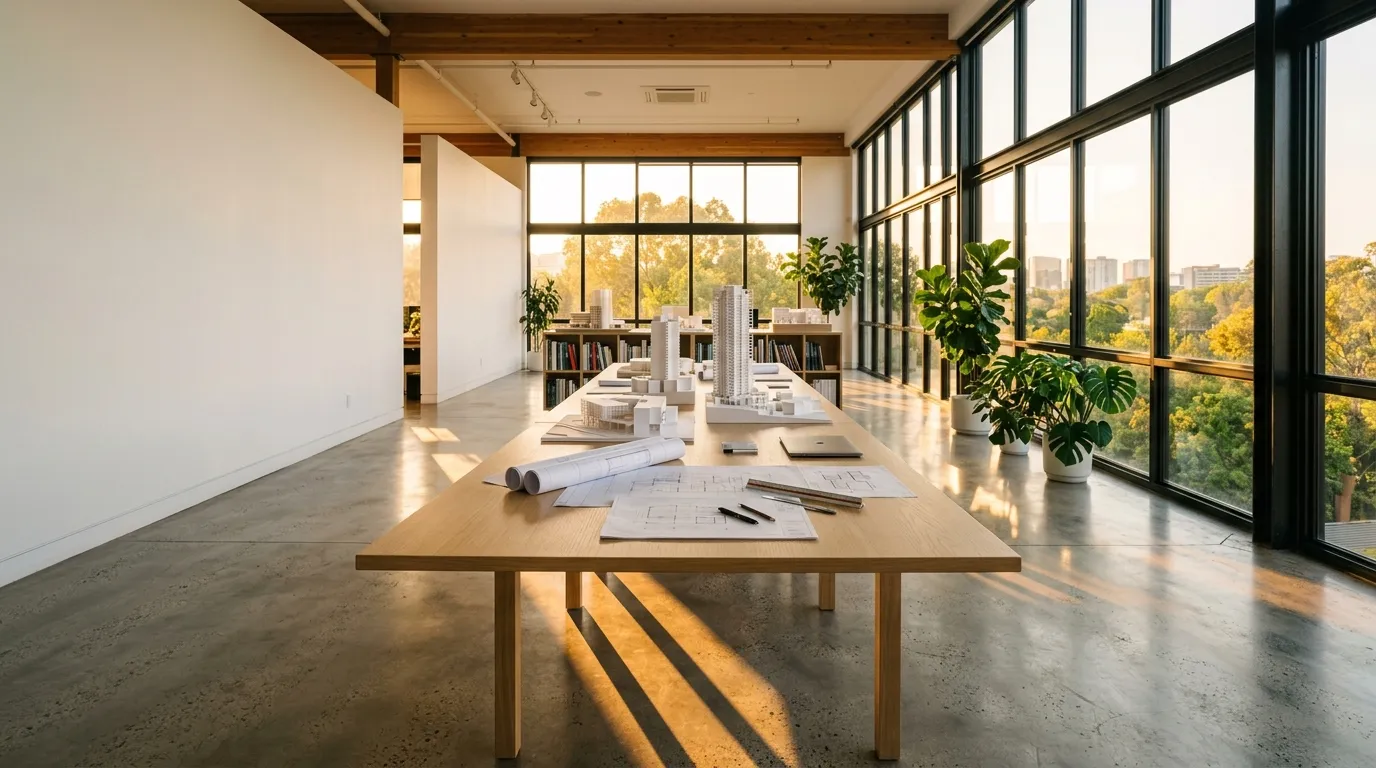
  alt: "夕方の光が差し込む設計室。長い木の机の上に建物の白い模型と図面が並び、右手の大きな窓の外に木々が見える",
};

/** 窓になる文字。拡大の原点はこの文字列の中の「I」 */
const WORD = "VIEW";
const STEM_INDEX = 1;
/** 縦画の太さ(em)の控えめな見積もり。倍率の逆算にだけ使う */
const STEM_EM = 0.16;
/** 大文字の高さ(em)。縦画の上下の中点を求めるのに使う */
const CAP_EM = 0.7;
const FONT_SIZE = 300;
const BASELINE = 300;

const STEPS = [
  { no: "01", title: "敷地に立つ", body: "朝と夕方の2回、窓を設けたい位置から外を見て、光の入り方と視線の抜けを記録します。" },
  { no: "02", title: "景色から間取りを決める", body: "残したい眺めを先に決め、そこへ向かって部屋の並びと天井の高さを組み立てます。" },
  { no: "03", title: "模型で確かめる", body: "1/50の模型に同じ時刻の光を当て、窓の大きさと机の位置を一緒に調整します。" },
];

const clamp01 = (v: number) => (v < 0 ? 0 : v > 1 ? 1 : v);
const easeInOut = (t: number) => t * t * (3 - 2 * t);

function reducedMotion() {
  return (
    typeof window.matchMedia === "function" &&
    window.matchMedia("(prefers-reduced-motion: reduce)").matches
  );
}

/** 上に貼り付いたヘッダーの高さ(ピン留めの天井と着地先の余白はそのぶん下がる) */
function stickyHeaderHeight(): number {
  let offset = 0;
  document
    .querySelectorAll<HTMLElement>("header, nav, [data-sticky-header]")
    .forEach((el) => {
      const cs = getComputedStyle(el);
      if (cs.position !== "fixed" && cs.position !== "sticky") return;
      if (Math.abs(parseFloat(cs.top || "0")) > 1) return;
      const h = el.getBoundingClientRect().height;
      if (h > 0 && h < window.innerHeight * 0.3) offset = Math.max(offset, h);
    });
  return Math.round(offset);
}

/** 直近の「切り取られる箱」を探す(ページそのものは対象外) */
function findClipper(el: HTMLElement): HTMLElement | null {
  let node = el.parentElement;
  while (node && node !== document.body && node !== document.documentElement) {
    const oy = getComputedStyle(node).overflowY;
    if (oy === "auto" || oy === "scroll" || oy === "hidden") return node;
    node = node.parentElement;
  }
  return null;
}

export default function ZoomThroughHeadingHero({
  headingTag: Heading = "h1",
}: {
  /**
   * 見出しのタグ。実案件ではそのまま(h1)。ギャラリーのプレビューは1ページに複数の標本が
   * 並ぶため "p" を渡してh1の重複を避ける(見た目はclassNameで決まるので変わらない)。
   */
  headingTag?: "h1" | "p";
}) {
  const uid = useId().replace(/[^a-zA-Z0-9]/g, "");
  const maskId = `zt-mask-${uid}`;
  const nextId = `zt-next-${uid}`;
  const titleId = `zt-title-${uid}`;

  const sectionRef = useRef<HTMLElement | null>(null);
  const runwayRef = useRef<HTMLDivElement | null>(null);
  const stageRef = useRef<HTMLDivElement | null>(null);
  const frameRef = useRef<HTMLDivElement | null>(null);
  const svgRef = useRef<SVGSVGElement | null>(null);
  const textRef = useRef<SVGTextElement | null>(null);
  const nextRef = useRef<HTMLHeadingElement | null>(null);
  const [opened, setOpened] = useState(false);

  useEffect(() => {
    const section = sectionRef.current;
    const runway = runwayRef.current;
    const stage = stageRef.current;
    const frame = frameRef.current;
    const svg = svgRef.current;
    const text = textRef.current;
    if (!section || !runway || !stage || !frame || !svg || !text) return;
    if (reducedMotion()) return;
    let raf: number | null = null;
    let top = 0;
    // 窓の文字の幾何(viewBox 単位)
    let vb = { x: 0, y: 0, w: 1000, h: 320 };
    let stem = { x: 500, y: 160 };

    const fitViewBox = () => {
      try {
        const bb = text.getBBox();
        if (bb.width > 0) {
          const padX = bb.width * 0.02;
          vb = { x: bb.x - padX, y: BASELINE - FONT_SIZE * CAP_EM - FONT_SIZE * 0.06, w: bb.width + padX * 2, h: FONT_SIZE * (CAP_EM + 0.12) };
          svg.setAttribute("viewBox", `${vb.x} ${vb.y} ${vb.w} ${vb.h}`);
        }
        const ext = text.getExtentOfChar(STEM_INDEX);
        stem = { x: ext.x + ext.width / 2, y: BASELINE - (FONT_SIZE * CAP_EM) / 2 };
      } catch {
        // 計測できない環境では初期値のまま(最後は白い面の opacity で抜ける)
      }
    };

    // 背の低い箱(一覧のカード等)では固定を作らず、窓の状態のまま静止させる
    const clipper = findClipper(section);
    if (clipper && clipper.clientHeight > 0 && clipper.clientHeight < window.innerHeight * 0.6) {
      section.classList.add("zt-still");
      fitViewBox();
      document.fonts?.ready.then(fitViewBox).catch(() => {});
      return () => section.classList.remove("zt-still");
    }
    section.classList.add("zt-live");

    const render = () => {
      raf = null;
      const stageH = stage.offsetHeight;
      const total = Math.max(1, runway.offsetHeight - stageH);
      const p = clamp01((top - runway.getBoundingClientRect().top) / total);

      // 窓の面(未変形の入れ物)の寸法から、viewBox → px の写像を求める
      const fw = frame.clientWidth;
      const fh = frame.clientHeight;
      const k = Math.min(fw / vb.w, fh / vb.h);
      const ox = (fw - vb.w * k) / 2 + (stem.x - vb.x) * k;
      const oy = (fh - vb.h * k) / 2 + (stem.y - vb.y) * k;
      // 舞台の中央(入れ物の座標)
      const cx = stage.clientWidth / 2 - frame.offsetLeft;
      const cy = stageH / 2 - frame.offsetTop;

      // 縦画が画面の幅と高さを覆うまでの倍率
      const half = Math.max(1, FONT_SIZE * STEM_EM * 0.5 * k);
      const halfCap = Math.max(1, FONT_SIZE * CAP_EM * 0.5 * k);
      const maxScale = Math.min(
        140,
        Math.max(12, (stage.clientWidth / 2 / half) * 1.35, (stageH / 2 / halfCap) * 1.35),
      );

      const z = clamp01((p - 0.06) / 0.66);
      const ez = easeInOut(z);
      const s = Math.pow(maxScale, ez);
      const dx = (cx - ox) * ez;
      const dy = (cy - oy) * ez;
      svg.style.transformOrigin = `${ox.toFixed(1)}px ${oy.toFixed(1)}px`;
      svg.style.transform = `translate3d(${dx.toFixed(1)}px, ${dy.toFixed(1)}px, 0) scale(${s.toFixed(4)})`;
      svg.style.opacity = String(1 - clamp01((z - 0.86) / 0.14));

      stage.style.setProperty("--zt-p", p.toFixed(4));
      stage.style.setProperty("--zt-photo", (1.16 - 0.16 * easeInOut(clamp01(p / 0.8))).toFixed(4));
      stage.style.setProperty("--zt-hint", (1 - clamp01(p / 0.08)).toFixed(3));
      stage.style.setProperty("--zt-caption", clamp01((p - 0.72) / 0.12).toFixed(3));
      const isOpen = p > 0.5;
      setOpened((prev) => (prev === isOpen ? prev : isOpen));
    };

    const request = () => {
      if (raf === null) raf = requestAnimationFrame(render);
    };
    const measure = () => {
      top = stickyHeaderHeight();
      section.style.setProperty("--zt-top", `${top}px`);
      fitViewBox();
      request();
    };

    measure();
    document.fonts?.ready.then(measure).catch(() => {});
    window.addEventListener("scroll", request, { passive: true });
    window.addEventListener("resize", measure);
    const ro = typeof ResizeObserver !== "undefined" ? new ResizeObserver(measure) : null;
    ro?.observe(stage);

    return () => {
      window.removeEventListener("scroll", request);
      window.removeEventListener("resize", measure);
      ro?.disconnect();
      if (raf !== null) cancelAnimationFrame(raf);
      section.classList.remove("zt-live");
    };
  }, []);

  /** 助走路の始点/終点へ縦位置を送る(キーボードだけで写真の全面まで見られるようにする) */
  const toggleOpen = () => {
    const runway = runwayRef.current;
    const stage = stageRef.current;
    if (!runway || !stage) return;
    const headerH = stickyHeaderHeight();
    const start = window.scrollY + runway.getBoundingClientRect().top - headerH;
    const total = runway.offsetHeight - stage.offsetHeight;
    window.scrollTo({
      top: opened ? start : start + total * 0.9,
      behavior: reducedMotion() ? "auto" : "smooth",
    });
  };

  /** 次の節へ送ったら、フォーカスも着地先の見出しへ移す */
  const goNext = (e: React.MouseEvent<HTMLAnchorElement>) => {
    const target = nextRef.current;
    if (!target) return;
    e.preventDefault();
    target.style.scrollMarginTop = `${stickyHeaderHeight() + 24}px`;
    target.scrollIntoView({ behavior: reducedMotion() ? "auto" : "smooth", block: "start" });
    target.focus({ preventScroll: true });
  };

  return (
    <section ref={sectionRef} aria-labelledby={titleId} className="zt w-full bg-white text-gray-900">
      <style>{`
        .zt-photo { transform: scale(var(--zt-photo, 1.16)); }
        .zt-hint { opacity: var(--zt-hint, 1); }
        .zt-caption { opacity: var(--zt-caption, 0); }
        .zt-gauge { transform: scaleY(var(--zt-p, 0)); }
        .zt-svg { overflow: visible; }
        .zt-toggle { display: none; }
        .zt-live .zt-toggle { display: inline-flex; }
        .zt-still .zt-runway { height: auto !important; }
        .zt-still .zt-stage { position: relative !important; height: 760px !important; }
        .zt-still .zt-next { display: none; }
        /* 静的表示(reduced-motion)。写真と見出しを並べる */
        @media (prefers-reduced-motion: reduce) {
          .zt .zt-runway { height: auto !important; }
          .zt .zt-stage { position: static !important; height: auto !important; display: grid; gap: 1.5rem; padding: 1.5rem; }
          .zt .zt-media { position: relative !important; inset: auto !important; aspect-ratio: 4 / 3; overflow: hidden; }
          .zt .zt-photo { transform: none; }
          .zt .zt-frame, .zt .zt-hint, .zt .zt-gauge-rail, .zt .zt-toggle { display: none; }
          .zt .zt-caption { opacity: 1; }
          .zt .zt-plate { position: static !important; max-width: none !important; align-self: center; }
          .zt .zt-title { font-size: clamp(1.25rem, 1.9vw, 1.45rem); }
        }
        @media (prefers-reduced-motion: reduce) and (min-width: 768px) {
          .zt .zt-stage { grid-template-columns: minmax(0, 1.2fr) minmax(0, 1fr); gap: 2.5rem; padding: 2.5rem; }
          .zt .zt-media { aspect-ratio: auto; min-height: 20rem; }
        }
      `}</style>

      {/* 助走路(高さ=舞台1枚+寄りに使うスクロール量) */}
      <div ref={runwayRef} className="zt-runway relative h-[calc(100svh+170vh)]">
        <div
          ref={stageRef}
          className="zt-stage sticky top-[var(--zt-top,0px)] h-[calc(100svh-var(--zt-top,0px))] min-h-[520px] overflow-hidden border-y border-gray-200 bg-white"
        >
          {/* 写真(窓の奥に敷く層。マスクは掛けない) */}
          <figure className="zt-media absolute inset-0 m-0">
            {/* eslint-disable-next-line @next/next/no-img-element -- 静的書き出しのため最適化なしの img を使う */}
            <img
              src={PHOTO.src}
              alt={PHOTO.alt}
              width={1376}
              height={768}
              decoding="async"
              className="zt-photo h-full w-full object-cover will-change-transform"
            />
            <figcaption className="zt-caption absolute top-0 left-0 bg-white px-3 py-2 text-[11px] leading-[1.6] text-gray-600 sm:top-auto sm:right-6 sm:bottom-6 sm:left-auto">
              設計室の西側の窓。夕方5時ごろの光
            </figcaption>
          </figure>

          {/* 文字の形の窓(白い面に文字の穴)。読み上げは h1 が担うので飾り扱い */}
          <div
            ref={frameRef}
            aria-hidden="true"
            className="zt-frame pointer-events-none absolute inset-x-1 top-[9%] bottom-[52%] sm:inset-x-10 sm:top-[7%] sm:bottom-[44%] lg:bottom-[40%]"
          >
            <svg
              ref={svgRef}
              className="zt-svg zt-svg-el block h-full w-full"
              viewBox="0 0 1000 300"
              preserveAspectRatio="xMidYMid meet"
            >
              <defs>
                <mask id={maskId} maskUnits="userSpaceOnUse" x="-20000" y="-20000" width="40000" height="40000">
                  <rect x="-20000" y="-20000" width="40000" height="40000" fill="white" />
                  <text
                    ref={textRef}
                    x="0"
                    y={BASELINE}
                    fill="black"
                    fontSize={FONT_SIZE}
                    fontWeight={900}
                    letterSpacing="-6"
                    style={{ fontFamily: montserrat.style.fontFamily }}
                  >
                    {WORD}
                  </text>
                </mask>
              </defs>
              <rect
                x="-20000"
                y="-20000"
                width="40000"
                height="40000"
                fill="white"
                mask={`url(#${maskId})`}
              />
            </svg>
          </div>

          {/* スクロールの案内(寄り始めたら消える) */}
          <p className="zt-hint pointer-events-none absolute top-4 right-4 flex items-center gap-2 text-[11px] text-gray-500 sm:top-6 sm:right-10">
            <span aria-hidden="true" className="h-px w-6 bg-gray-300" />
            スクロールで文字の中へ
          </p>

          {/* 進み具合(右端の縦の hairline) */}
          <span
            aria-hidden="true"
            className="zt-gauge-rail absolute top-[12%] right-2 bottom-[12%] w-px bg-gray-200 sm:right-4"
          >
            <span className="zt-gauge absolute inset-0 origin-top bg-amber-600" />
          </span>

          {/* 見出しの札(常に手前。写真が広がった後も読める) */}
          <div className="zt-plate absolute inset-x-4 bottom-4 border border-gray-200 bg-white/95 px-5 py-5 sm:inset-x-auto sm:bottom-8 sm:left-10 sm:max-w-[34rem] sm:px-7 sm:py-6">
            <p className="flex items-center gap-3 text-[12px] font-bold text-gray-700">
              <span aria-hidden="true" className="h-px w-8 bg-amber-600" />
              住宅と小さな店舗の設計事務所
            </p>
            <Heading
              id={titleId}
              className="zt-title mt-3 text-[clamp(1.35rem,3.2vw,2.1rem)] leading-[1.5] font-bold tracking-tight text-gray-900"
            >
              <span className="inline-block">窓から見える景色を</span>
              <span className="inline-block">間取りの出発点にする</span>
            </Heading>
            <p className="mt-3 text-[13px] leading-[1.9] text-gray-600 sm:text-[14px]">
              敷地に立って最初に目に入る眺めから、部屋の並びを考えます。相談から完成まで、同じ担当者が受け持ちます。
            </p>
            <div className="mt-4 flex flex-wrap items-center gap-x-6 gap-y-2 border-t border-gray-200 pt-4">
              <button
                type="button"
                onClick={toggleOpen}
                aria-pressed={opened}
                className="zt-toggle min-h-11 items-center gap-2 text-[13px] font-bold text-gray-900 underline decoration-gray-300 underline-offset-[6px] transition-colors hover:decoration-amber-600 focus-visible:outline-2 focus-visible:outline-offset-4 focus-visible:outline-amber-600 motion-reduce:transition-none"
              >
                <span aria-hidden="true" className="inline-block h-2 w-2 bg-amber-600" />
                {opened ? "見出しに戻す" : "写真を全面で見る"}
              </button>
              <a
                href={`#${nextId}`}
                onClick={goNext}
                className="inline-flex min-h-11 items-center gap-2 text-[13px] font-bold text-gray-900 underline decoration-gray-300 underline-offset-[6px] transition-colors hover:decoration-amber-600 focus-visible:outline-2 focus-visible:outline-offset-4 focus-visible:outline-amber-600 motion-reduce:transition-none"
              >
                設計の進め方を読む
                <span aria-hidden="true" className={`${montserrat.className} text-amber-700`}>↓</span>
              </a>
            </div>
          </div>
        </div>
      </div>

      {/* 次の節(固定面の外。リンクの着地先) */}
      <div className="zt-next mx-auto max-w-5xl px-5 py-14 sm:px-10 sm:py-20">
        <h2
          ref={nextRef}
          id={nextId}
          tabIndex={-1}
          className="text-[clamp(1.25rem,2.6vw,1.6rem)] leading-[1.6] font-bold text-gray-900 focus:outline-none focus-visible:outline-2 focus-visible:outline-offset-4 focus-visible:outline-amber-600"
        >
          設計の進め方
        </h2>
        <ol className="mt-8 grid border-t border-gray-200 md:grid-cols-3 md:divide-x md:divide-gray-200">
          {STEPS.map((s) => (
            <li key={s.no} className="border-b border-gray-200 py-6 md:border-b-0 md:px-6 md:first:pl-0 md:last:pr-0">
              <span className={`${montserrat.className} text-[12px] font-semibold tracking-[0.14em] text-amber-700 tabular-nums`}>
                {s.no}
              </span>
              <h3 className="mt-2 text-[16px] leading-[1.6] font-bold text-gray-900">{s.title}</h3>
              <p className="mt-2 text-[13px] leading-[1.9] text-gray-600">{s.body}</p>
            </li>
          ))}
        </ol>
      </div>
    </section>
  );
}
shadcn CLI でプロジェクトに追加
npx shadcn@latest add https://designs.first-ch.com/r/zoom-through-heading-hero.json