
Noren Curtain Entrance Hero — Brush It Aside to Enter (React)
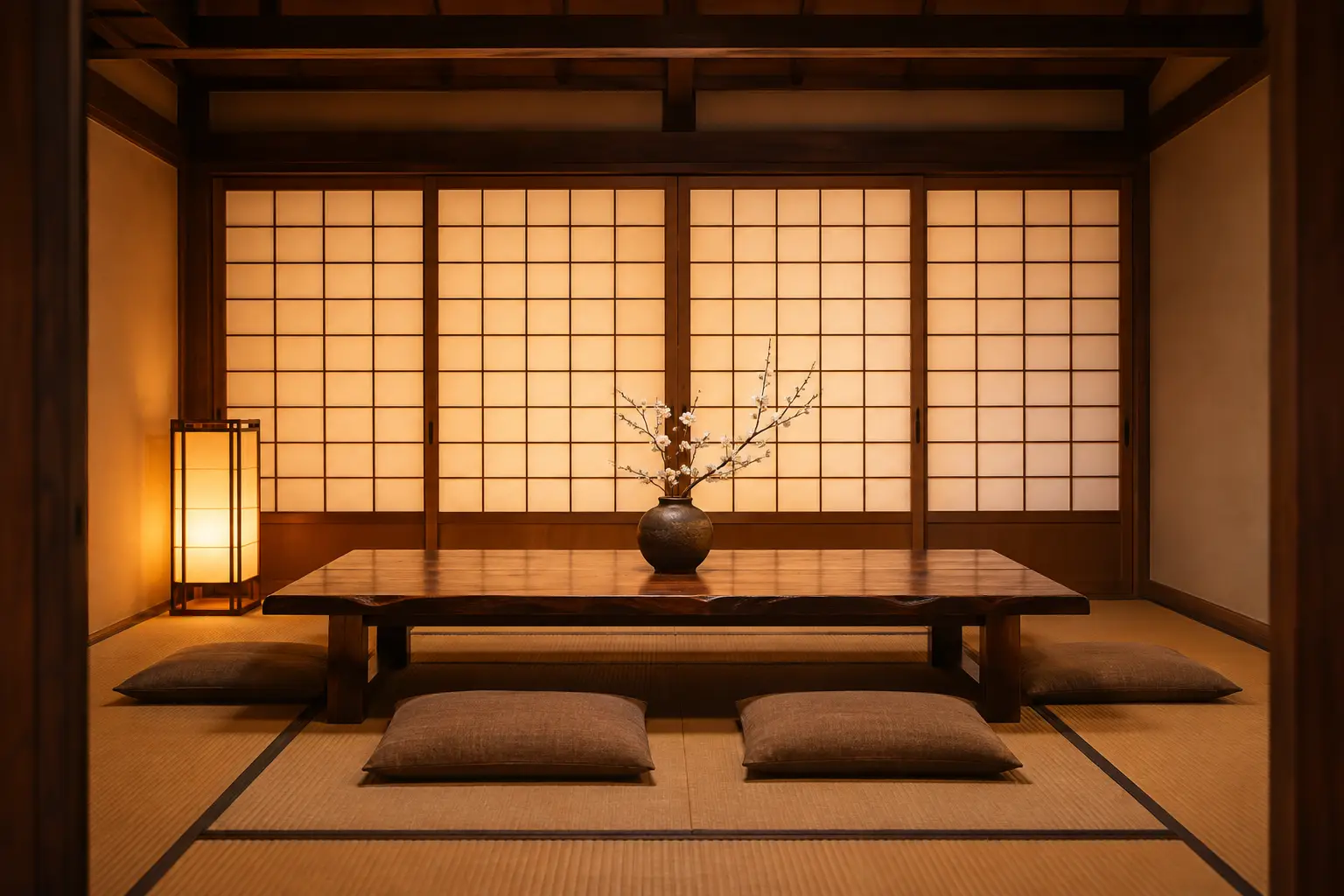
An entrance for the top page of a Japanese restaurant, ryokan or sweets shop. Brush the indigo noren with a finger or mouse and only the nearby panels sway and settle; tap or sweep them sideways and the panels part while the photo of the tatami room behind eases closer. A slow sway on load shows that the cloth can be touched. The cloth is drawn on a canvas as thin horizontal bands, fixed at the rod and swinging more toward the hem. On phones vertical scrolling is left alone and only sideways movement parts the curtain. Keyboard users get an open/close button that appears on focus, and the call-to-action below is always reachable. With prefers-reduced-motion the cloth does not sway and simply switches between closed and open. Panel count (2–4), colour (indigo, plum, ink) and a single dyed character are props (panels, color, mark) (the switches on this page appear only when showControls is true). Swap in your own room photo and cloth image via roomSrc and clothSrc. No dependencies.
Preview
Read the full description
An entrance for the top page of a Japanese restaurant, ryokan or sweets shop. Brush the indigo noren with a finger or mouse and only the nearby panels sway and settle; tap or sweep them sideways and the panels part while the photo of the tatami room behind eases closer. A slow sway on load shows that the cloth can be touched. The cloth is drawn on a canvas as thin horizontal bands, fixed at the rod and swinging more toward the hem. On phones vertical scrolling is left alone and only sideways movement parts the curtain. Keyboard users get an open/close button that appears on focus, and the call-to-action below is always reachable. With prefers-reduced-motion the cloth does not sway and simply switches between closed and open. Panel count (2–4), colour (indigo, plum, ink) and a single dyed character are props (panels, color, mark) (the switches on this page appear only when showControls is true). Swap in your own room photo and cloth image via roomSrc and clothSrc. No dependencies.
- Added:
- 2026-11-13
- Dependencies:
- None
- tags
- #hero #page #noren #japanese #restaurant #ryokan #canvas #cloth #pointer-events #touch #keyboard #reduced-motion #image #no-dependency
"use client";

import { useCallback, useEffect, useRef, useState, useSyncExternalStore } from "react";

/**
 * 指でかき分けて入る、のれんのトップ画面
 *
 * 和食店・旅館・和菓子店のトップに置く入口。藍ののれんを指やマウスでなでると近い布だけが揺れ、
 * 押すか左右にかき分けると布が分かれて、奥の座敷へ少し寄る。
 *
 * 汎用技法メモ:
 * 1) 布は canvas に「横の細い帯」を上から順に描く。帯ごとに横へずらす量を (高さの割合)^1.5 に比例させると、
 *    上の竿は動かず下ほど大きく振れる、のれんらしい曲がりになる。ずらす量の傾きで帯を暗くして、ねじれの影にする。
 * 2) 布の模様は1枚の画像を全体へ cover で敷き、各布にはその縦の切れ端を描く。白い輪が布をまたいで続いて見える。
 * 3) 揺れはばね(復元力と減衰)で動かし、指やマウスの横の移動量を近い布の速度へ足す。収まったら rAF を止める。
 * 4) 布の上は touch-action: pan-y。縦のスクロールはブラウザに任せ、横の動きだけをかき分けに使う。
 * 5) 布は飾り(aria-hidden)。キーボードと読み上げには、フォーカスで現れる開閉ボタンと下の案内ボタンを渡す。
 *    prefers-reduced-motion では揺れず、押すと開いた形と閉じた形が切り替わるだけになる。
 * 6) 色は藍の画像に色相だけを重ねて作る(白い輪は彩度が低いので白いまま残る)。字は布の上に1字だけ描ける。
 */

const NOREN_COLORS = [
  { id: "ai", label: "藍", hue: null as string | null, gray: false },
  { id: "budou", label: "葡萄", hue: "#7B2D3A", gray: false },
  { id: "sumi", label: "墨", hue: null, gray: true },
] as const;

type ColorId = (typeof NOREN_COLORS)[number]["id"];

type Strip = { x: number; v: number; amp: number; phase: number };

function subscribeReducedMotion(cb: () => void) {
  const mq = window.matchMedia("(prefers-reduced-motion: reduce)");
  mq.addEventListener("change", cb);
  return () => mq.removeEventListener("change", cb);
}

const ROD_Y = 10;
const ROD_H = 12;
const INTRO_MS = 3600;

/** のれんの布の領域(竿の中心から裾まで) */
function curtainBox({ w, h }: { w: number; h: number }) {
  const top = ROD_Y + ROD_H / 2;
  return { top, cw: w, ch: h - top - Math.max(8, h * 0.02) };
}

export default function NorenEnterHero({
  headingTag: Heading = "h1",
  panels: panelsProp = 3,
  color: colorProp = "ai",
  mark: markProp = "",
  roomSrc = "/designs/noren-enter-hero-room.webp",
  roomSrcSmall = "/designs/noren-enter-hero-room-860.webp",
  roomAlt = "障子越しの灯りがともる畳の座敷。低い木の座卓に白い花の枝が一本生けてある",
  clothSrc = "/designs/noren-enter-hero-cloth.webp",
  heading = "炭の香りと、八席の座敷。",
  lead = "季節の小鉢と土鍋ごはんの小さな割烹です。夜は十七時から、のれんを掛けてお待ちしています。",
  ctaLabel = "お品書きを見る",
  ctaHref = "#menu",
  showControls = false,
}: {
  /** 見出しのタグ。実案件では h1。ギャラリーのプレビューは "p" を渡して h1 の重複を避ける */
  headingTag?: "h1" | "p";
  /** のれんの枚数(2〜4) */
  panels?: number;
  /** 布の色 */
  color?: ColorId;
  /** 布に染める1字(空なら字なし) */
  mark?: string;
  roomSrc?: string;
  roomSrcSmall?: string;
  roomAlt?: string;
  clothSrc?: string;
  heading?: string;
  lead?: string;
  ctaLabel?: string;
  ctaHref?: string;
  /** 枚数・色・字の切り替えを出す(試すとき用。既定は出さない) */
  showControls?: boolean;
}) {
  const [panels, setPanels] = useState(Math.min(4, Math.max(2, Math.round(panelsProp))));
  const [colorId, setColorId] = useState<ColorId>(colorProp);
  const [mark, setMark] = useState(markProp);
  const [parted, setParted] = useState(false);

  const stageRef = useRef<HTMLDivElement>(null);
  const canvasRef = useRef<HTMLCanvasElement>(null);
  const clothImgRef = useRef<HTMLImageElement | null>(null);
  const textureRef = useRef<HTMLCanvasElement | null>(null);
  const stripsRef = useRef<Strip[]>([]);
  const sizeRef = useRef({ w: 0, h: 0, dpr: 1 });
  const rafRef = useRef(0);
  const lastTsRef = useRef(0);
  const introStartRef = useRef(0);
  const partedRef = useRef(false);
  const pointerRef = useRef<{ x: number; y: number; downX: number; downY: number; downT: number; down: boolean; id: number } | null>(null);

  const reducedMotion = useSyncExternalStore(
    subscribeReducedMotion,
    () => window.matchMedia("(prefers-reduced-motion: reduce)").matches,
    () => false,
  );
  const reducedRef = useRef(reducedMotion);
  useEffect(() => {
    reducedRef.current = reducedMotion;
  }, [reducedMotion]);
  const stepRef = useRef<(ts: number) => void>(() => {});

  // 開いた形での各布の下端の横ずれ(px)。真ん中から外へ押し分け、内側の布ほど大きく寄せる
  const openTarget = useCallback((i: number, n: number, w: number) => {
    const sw = w / n;
    const center = (n - 1) / 2;
    const dir = i < center ? -1 : 1; // 奇数枚の真ん中は右へ寄せる
    const closeness = 1 - Math.abs(i - center) / Math.max(1, center + 0.5);
    return dir * sw * (0.42 + 0.38 * closeness);
  }, []);

  const draw = useCallback(() => {
    const canvas = canvasRef.current;
    const tex = textureRef.current;
    if (!canvas) return;
    const ctx = canvas.getContext("2d");
    if (!ctx) return;
    const { w, h, dpr } = sizeRef.current;
    ctx.setTransform(dpr, 0, 0, dpr, 0, 0);
    ctx.clearRect(0, 0, w, h);
    if (!tex || w === 0) return;

    const n = stripsRef.current.length;
    const { top, ch } = curtainBox(sizeRef.current);
    const gap = Math.max(2, w * 0.004);
    const k = tex.width / w; // 作業用の布の画素 / CSS px
    const stripW = w / n;
    const rows = Math.max(48, Math.round(ch / 3));

    // 竿
    const rod = ctx.createLinearGradient(0, ROD_Y, 0, ROD_Y + ROD_H);
    rod.addColorStop(0, "#b07b42");
    rod.addColorStop(0.45, "#7a4a22");
    rod.addColorStop(1, "#4a2a12");
    ctx.fillStyle = rod;
    ctx.fillRect(0, ROD_Y, w, ROD_H);

    for (let i = 0; i < n; i++) {
      const s = stripsRef.current[i];
      const target = openTarget(i, n, w);
      const dir = Math.sign(target);
      const open = Math.max(0, Math.min(1, (s.x * dir) / Math.abs(target)));
      const squeeze = open * 0.42;
      const lift = 1 - open * 0.08;
      const x0 = i * stripW + gap / 2;
      const bw = stripW - gap;
      const rowH = (ch * lift) / rows;

      // 幅方向の陰影: 端を暗く、ゆるいひだを常に少し、開くほど深いひだを足す
      const shade = ctx.createLinearGradient(0, 0, bw, 0);
      for (let q = 0; q <= 16; q++) {
        const u = q / 16;
        const edge = Math.pow(Math.abs(u - 0.5) * 2, 3) * 0.3;
        const soft = 0.07 * (0.5 + 0.5 * Math.cos(u * Math.PI * 2 * 1.5 + i));
        const fold = open * 0.32 * (0.5 + 0.5 * Math.cos(u * Math.PI * 2 * 3));
        shade.addColorStop(u, `rgba(8,12,24,${Math.min(0.6, edge + soft + fold).toFixed(3)})`);
      }

      const offsetAt = (t: number) => s.x * Math.pow(t, 1.5) + s.amp * Math.sin(s.phase - t * 4.2) * t;
      const widthAt = (t: number) => 1 - squeeze * Math.pow(t, 1.3);
      const leftAt = (t: number) => (dir < 0 ? x0 : x0 + bw * (1 - widthAt(t))) + offsetAt(t);

      for (let r = 0; r < rows; r++) {
        const t0 = r / rows;
        const t1 = (r + 1) / rows;
        const fx = widthAt((t0 + t1) / 2);
        const lx0 = leftAt(t0);
        const skew = (leftAt(t1) - lx0) / rowH; // 帯を傾けて隣の帯と縁をつなぐ(段差を出さない)
        const ry = top + t0 * ch * lift;
        // 帯の座標 (u, v) → 画面 (lx0 + u·fx + v·skew, ry + v)
        ctx.setTransform(dpr * fx, 0, dpr * skew, dpr, dpr * lx0, dpr * ry);
        ctx.drawImage(tex, x0 * k, t0 * ch * k, bw * k, (ch * k) / rows, 0, 0, bw, rowH + 0.6);
        ctx.fillStyle = shade;
        ctx.fillRect(0, 0, bw, rowH + 0.6);
        // 竿の下の影と、縫い返した裾の厚み
        const band = t0 < 0.04 ? 0.22 * (1 - t0 / 0.04) : t1 > 0.975 ? 0.2 : 0;
        if (band > 0) {
          ctx.fillStyle = `rgba(6,10,22,${band.toFixed(3)})`;
          ctx.fillRect(0, 0, bw, rowH + 0.6);
        }
        const a = Math.min(0.4, Math.abs(skew) * 0.5);
        if (a > 0.01) {
          ctx.fillStyle = skew > 0 ? `rgba(6,10,22,${a.toFixed(3)})` : `rgba(255,248,236,${(a * 0.3).toFixed(3)})`;
          ctx.fillRect(0, 0, bw, rowH + 0.6);
        }
      }
      ctx.setTransform(dpr, 0, 0, dpr, 0, 0);

      // 竿に掛かる乳(布の耳)
      const tabW = Math.max(10, Math.min(18, bw * 0.1));
      for (const tx of [x0 + bw * 0.12, x0 + bw * 0.88 - tabW]) {
        ctx.drawImage(tex, tx * k, 0, tabW * k, 20 * k, tx, ROD_Y - 6, tabW, ROD_H + 10);
        ctx.fillStyle = "rgba(8,12,24,0.25)";
        ctx.fillRect(tx, ROD_Y - 6, tabW, ROD_H + 10);
      }
    }
  }, [openTarget]);

  const step = useCallback(
    (ts: number) => {
      const last = lastTsRef.current || ts;
      const dt = Math.min(0.033, (ts - last) / 1000);
      lastTsRef.current = ts;
      const { w } = sizeRef.current;
      const n = stripsRef.current.length;
      const introT = introStartRef.current ? ts - introStartRef.current : INTRO_MS;
      const intro = introT < INTRO_MS ? Math.sin((Math.PI * introT) / INTRO_MS) : 0;
      let busy = intro > 0;

      for (let i = 0; i < n; i++) {
        const s = stripsRef.current[i];
        const target = partedRef.current ? openTarget(i, n, w) : 0;
        const k = partedRef.current ? 30 : 38;
        const c = 7;
        let force = -k * (s.x - target) - c * s.v;
        if (intro > 0) force += intro * (w / n) * 3.4 * Math.sin(introT / 520 + i * 1.1);
        s.v += force * dt;
        s.x += s.v * dt;
        s.amp *= Math.exp(-dt * 1.4);
        if (intro > 0) s.amp = Math.max(s.amp, intro * (w / n) * 0.05);
        s.phase += dt * 5.2;
        if (Math.abs(s.v) > 0.5 || Math.abs(s.x - target) > 0.3 || s.amp > 0.3) busy = true;
      }
      draw();
      if (busy) {
        rafRef.current = requestAnimationFrame(stepRef.current);
      } else {
        rafRef.current = 0;
        lastTsRef.current = 0;
      }
    },
    [draw, openTarget],
  );

  useEffect(() => {
    stepRef.current = step;
  }, [step]);

  const kick = useCallback(() => {
    if (reducedRef.current) {
      const { w } = sizeRef.current;
      const n = stripsRef.current.length;
      stripsRef.current.forEach((s, i) => {
        s.x = partedRef.current ? openTarget(i, n, w) : 0;
        s.v = 0;
        s.amp = 0;
      });
      draw();
      return;
    }
    if (!rafRef.current) {
      lastTsRef.current = 0;
      rafRef.current = requestAnimationFrame(stepRef.current);
    }
  }, [draw, openTarget]);

  // 布の模様を、いまの布の大きさに合わせて1枚に作る。
  // 輪の大きさは画面に合わせて決め(スマホは幅いっぱい、横長は丈の85%)、足りない周りは
  // 画像の無地の部分を折り返して敷き詰める。そのうえで色と字を反映する。
  const buildTexture = useCallback(() => {
    const img = clothImgRef.current;
    const { w } = sizeRef.current;
    if (!img || !img.naturalWidth || w === 0) return;
    const { cw, ch } = curtainBox(sizeRef.current);
    const k = Math.min(2, 1600 / cw);
    const c = document.createElement("canvas");
    c.width = Math.round(cw * k);
    c.height = Math.round(ch * k);
    const ctx = c.getContext("2d");
    if (!ctx) return;
    const iw = img.naturalWidth;
    const ih = img.naturalHeight;
    // 無地の端(左 14%)を左右・上下に折り返した柄にして敷く
    const pw = Math.round(iw * 0.14);
    const tile = document.createElement("canvas");
    tile.width = pw * 2;
    tile.height = ih * 2;
    const tc = tile.getContext("2d");
    if (!tc) return;
    for (const [fx, fy] of [[1, 1], [-1, 1], [1, -1], [-1, -1]]) {
      tc.setTransform(fx, 0, 0, fy, fx < 0 ? pw * 2 : 0, fy < 0 ? ih * 2 : 0);
      tc.drawImage(img, 0, 0, pw, ih, 0, 0, pw, ih);
    }
    const d = Math.min(cw * 1.05, ch * 0.85) * k; // 輪の外径
    const sc = d / (ih * 0.9);
    const pat = ctx.createPattern(tile, "repeat");
    ctx.setTransform(1, 0, 0, 1, 0, 0);
    ctx.globalCompositeOperation = "source-over";
    ctx.filter = "none";
    if (pat) {
      pat.setTransform(new DOMMatrix([sc, 0, 0, sc, 0, 0]));
      ctx.fillStyle = pat;
      ctx.fillRect(0, 0, c.width, c.height);
    }
    // 輪の画像は縁をぼかして重ね、継ぎ目を消す
    const dw = iw * sc;
    const dh = ih * sc;
    const dx = (c.width - dw) / 2;
    const dy = c.height * 0.44 - dh / 2;
    const fe = document.createElement("canvas");
    fe.width = Math.round(dw);
    fe.height = Math.round(dh);
    const fc = fe.getContext("2d");
    if (!fc) return;
    fc.drawImage(img, 0, 0, fe.width, fe.height);
    fc.globalCompositeOperation = "destination-in";
    const gx = fc.createLinearGradient(0, 0, fe.width, 0);
    gx.addColorStop(0, "rgba(0,0,0,0)");
    gx.addColorStop(0.1, "#000");
    gx.addColorStop(0.9, "#000");
    gx.addColorStop(1, "rgba(0,0,0,0)");
    fc.fillStyle = gx;
    fc.fillRect(0, 0, fe.width, fe.height);
    const gy = fc.createLinearGradient(0, 0, 0, fe.height);
    gy.addColorStop(0, "rgba(0,0,0,0)");
    gy.addColorStop(0.04, "#000");
    gy.addColorStop(0.96, "#000");
    gy.addColorStop(1, "rgba(0,0,0,0)");
    fc.fillStyle = gy;
    fc.fillRect(0, 0, fe.width, fe.height);
    ctx.drawImage(fe, dx, dy);

    const col = NOREN_COLORS.find((x) => x.id === colorId) ?? NOREN_COLORS[0];
    if (col.gray) {
      ctx.globalCompositeOperation = "saturation";
      ctx.fillStyle = "#808080";
      ctx.fillRect(0, 0, c.width, c.height);
      ctx.globalCompositeOperation = "multiply";
      ctx.fillStyle = "#8f8f8f";
      ctx.fillRect(0, 0, c.width, c.height);
    } else if (col.hue) {
      ctx.globalCompositeOperation = "hue";
      ctx.fillStyle = col.hue;
      ctx.fillRect(0, 0, c.width, c.height);
    }
    ctx.globalCompositeOperation = "source-over";
    if (mark) {
      const fs = d * 0.42;
      ctx.font = `600 ${fs}px "Hiragino Mincho ProN","Yu Mincho","Noto Serif JP",serif`;
      ctx.textAlign = "center";
      ctx.textBaseline = "middle";
      ctx.fillStyle = "rgba(238,229,210,0.9)";
      ctx.fillText(mark.slice(0, 1), c.width / 2, c.height * 0.44);
    }
    textureRef.current = c;
  }, [colorId, mark]);

  // 布の画像を読む
  useEffect(() => {
    const img = new Image();
    img.decoding = "async";
    img.src = clothSrc;
    let alive = true;
    img.onload = () => {
      if (!alive) return;
      clothImgRef.current = img;
      buildTexture();
      introStartRef.current = reducedRef.current ? 0 : performance.now();
      kick();
    };
    return () => {
      alive = false;
    };
    // 画像の差し替え時だけ読み直す
    // eslint-disable-next-line react-hooks/exhaustive-deps
  }, [clothSrc]);

  const buildTextureRef = useRef(buildTexture);
  useEffect(() => {
    buildTextureRef.current = buildTexture;
  }, [buildTexture]);

  // 色・字が変わったら模様を作り直す
  useEffect(() => {
    buildTexture();
    draw();
  }, [buildTexture, draw]);

  // 枚数が変わったら布を作り直し、少し揺らして見せる
  useEffect(() => {
    stripsRef.current = Array.from({ length: panels }, (_, i) => ({ x: 0, v: 0, amp: 0, phase: i * 1.3 }));
    if (clothImgRef.current && !reducedRef.current) introStartRef.current = performance.now();
    kick();
  }, [panels, kick]);

  // 大きさに合わせる
  useEffect(() => {
    const stage = stageRef.current;
    const canvas = canvasRef.current;
    if (!stage || !canvas) return;
    const ro = new ResizeObserver(() => {
      const r = stage.getBoundingClientRect();
      const dpr = Math.min(2, window.devicePixelRatio || 1);
      sizeRef.current = { w: stage.clientWidth, h: stage.clientHeight, dpr };
      canvas.width = Math.round(stage.clientWidth * dpr);
      canvas.height = Math.round(stage.clientHeight * dpr);
      void r;
      buildTextureRef.current();
      if (reducedRef.current) kick();
      else draw();
    });
    ro.observe(stage);
    return () => {
      ro.disconnect();
      cancelAnimationFrame(rafRef.current);
      rafRef.current = 0;
    };
  }, [draw, kick]);

  useEffect(() => {
    partedRef.current = parted;
    kick();
  }, [parted, kick]);

  const localPoint = (e: React.PointerEvent<HTMLDivElement>) => {
    const el = e.currentTarget;
    const r = el.getBoundingClientRect();
    const k = el.offsetWidth ? r.width / el.offsetWidth : 1; // 親の縮小(ギャラリーのカード)を割り戻す
    return { x: (e.clientX - r.left) / k, y: (e.clientY - r.top) / k };
  };

  const push = (x: number, y: number, dx: number) => {
    if (reducedRef.current || dx === 0) return;
    const { w, h } = sizeRef.current;
    const n = stripsRef.current.length;
    const stripW = w / n;
    const ty = Math.max(0, Math.min(1, (y - ROD_Y) / (h - ROD_Y)));
    if (ty <= 0.03) return;
    stripsRef.current.forEach((s, i) => {
      const c = (i + 0.5) * stripW + s.x * Math.pow(ty, 1.5);
      const d = Math.abs(x - c) / (stripW * 0.75);
      if (d >= 1) return;
      const inf = (1 - d) * (1 - d) * Math.pow(ty, 0.8);
      s.v += Math.max(-40, Math.min(40, dx)) * inf * 14;
      s.amp = Math.min(stripW * 0.12, s.amp + Math.abs(dx) * inf * 0.5);
    });
    kick();
  };

  const onPointerDown = (e: React.PointerEvent<HTMLDivElement>) => {
    const p = localPoint(e);
    pointerRef.current = { x: p.x, y: p.y, downX: p.x, downY: p.y, downT: performance.now(), down: true, id: e.pointerId };
  };

  const onPointerMove = (e: React.PointerEvent<HTMLDivElement>) => {
    const p = localPoint(e);
    const prev = pointerRef.current;
    if (!prev || (e.pointerType !== "mouse" && !prev.down)) {
      pointerRef.current = { x: p.x, y: p.y, downX: p.x, downY: p.y, downT: 0, down: false, id: e.pointerId };
      return;
    }
    push(p.x, p.y, p.x - prev.x);
    prev.x = p.x;
    prev.y = p.y;
    // 押したまま横へ大きくかき分けたら開く
    if (prev.down && !partedRef.current && Math.abs(p.x - prev.downX) > sizeRef.current.w * 0.16) {
      setParted(true);
      prev.down = false;
    }
  };

  const onPointerUp = (e: React.PointerEvent<HTMLDivElement>) => {
    const prev = pointerRef.current;
    if (!prev || !prev.down) return;
    const p = localPoint(e);
    const moved = Math.hypot(p.x - prev.downX, p.y - prev.downY);
    if (moved < 10 && performance.now() - prev.downT < 600) setParted((v) => !v);
    prev.down = false;
  };

  const onPointerCancel = () => {
    if (pointerRef.current) pointerRef.current.down = false;
  };

  return (
    <section
      aria-label="お店の入口"
      className="relative w-full max-w-5xl overflow-hidden bg-[#F6EFE3] text-[#2B2620]"
    >
      <div
        ref={stageRef}
        role="group"
        aria-roledescription="のれん"
        aria-label="のれん。なでると揺れ、押すと左右に分かれます"
        onPointerDown={onPointerDown}
        onPointerMove={onPointerMove}
        onPointerUp={onPointerUp}
        onPointerCancel={onPointerCancel}
        onPointerLeave={(e) => e.pointerType === "mouse" && (pointerRef.current = null)}
        className="relative h-[clamp(380px,56svh,600px)] cursor-pointer touch-pan-y overflow-hidden bg-[#2a1a0e] select-none sm:h-auto sm:aspect-[16/9]"
      >
        {/* 静的書き出しで next/image の最適化を使わないため img を直接使う(srcSet で幅を出し分け) */}
        {/* eslint-disable-next-line @next/next/no-img-element */}
        <img
          src={roomSrc}
          srcSet={`${roomSrcSmall} 860w, ${roomSrc} 1536w`}
          sizes="(max-width: 860px) 100vw, 1024px"
          alt={roomAlt}
          fetchPriority="high"
          decoding="async"
          draggable={false}
          className={`absolute inset-0 h-full w-full object-cover transition-transform duration-[1600ms] ease-[cubic-bezier(.2,.7,.2,1)] motion-reduce:transition-none ${
            parted ? "scale-[1.12]" : "scale-[1.02]"
          }`}
          style={{ objectPosition: "50% 62%" }}
        />
        <canvas ref={canvasRef} aria-hidden="true" className="absolute inset-0 h-full w-full" />

        <button
          type="button"
          aria-pressed={parted}
          onClick={() => setParted((v) => !v)}
          className="sr-only z-10 focus-visible:not-sr-only focus-visible:absolute focus-visible:bottom-4 focus-visible:left-1/2 focus-visible:-translate-x-1/2 focus-visible:min-h-11 focus-visible:bg-[#F6EFE3] focus-visible:px-5 focus-visible:py-2.5 focus-visible:text-sm focus-visible:font-semibold focus-visible:text-[#24395C] focus-visible:outline-2 focus-visible:outline-offset-2 focus-visible:outline-[#C8892B]"
        >
          {parted ? "のれんを戻す" : "のれんを分けて中を見る"}
        </button>

      </div>

      <div className="flex flex-col items-center px-6 pt-7 pb-10 text-center sm:pt-14 sm:pb-16">
        <Heading
          className="text-[clamp(1.5rem,5.6vw,2.25rem)] leading-[1.5] font-semibold tracking-[0.06em]"
          style={{ fontFamily: '"Hiragino Mincho ProN","Yu Mincho","Noto Serif JP",serif' }}
        >
          {heading}
        </Heading>
        <p className="mt-4 max-w-[30em] text-[15px] text-pretty [word-break:auto-phrase] leading-[1.95] text-[#5b5248]">{lead}</p>
        <a
          href={ctaHref}
          className={`mt-6 inline-flex min-h-12 w-full max-w-[20rem] items-center justify-center rounded-full bg-[#C8892B] px-8 text-[16px] font-bold tracking-[0.12em] text-[#1F160B] no-underline transition-[background-color,box-shadow] duration-500 hover:bg-[#B87A1F] focus-visible:outline-2 focus-visible:outline-offset-4 focus-visible:outline-[#24395C] ${
            parted ? "shadow-[0_0_0_6px_rgba(200,137,43,0.25)]" : ""
          }`}
        >
          {ctaLabel}
        </a>
      </div>

      {showControls ? (
        <div className="flex flex-wrap items-center justify-center gap-x-8 gap-y-3 border-t border-[#e3d8c6] px-5 py-4 text-[13px] text-[#5b5248]">
          <fieldset className="flex items-center gap-2">
            <legend className="sr-only">のれんの枚数</legend>
            <span aria-hidden="true">枚数</span>
            {[2, 3, 4].map((n) => (
              <label key={n} className="relative">
                <input
                  type="radio"
                  name="noren-panels"
                  value={n}
                  checked={panels === n}
                  onChange={() => setPanels(n)}
                  className="peer sr-only"
                />
                <span className="inline-flex h-9 min-w-9 cursor-pointer items-center justify-center border border-[#cbbda6] px-2 peer-checked:border-[#24395C] peer-checked:bg-[#24395C] peer-checked:text-white peer-focus-visible:outline-2 peer-focus-visible:outline-offset-2 peer-focus-visible:outline-[#C8892B]">
                  {n}
                </span>
              </label>
            ))}
          </fieldset>
          <fieldset className="flex items-center gap-2">
            <legend className="sr-only">布の色</legend>
            <span aria-hidden="true">色</span>
            {NOREN_COLORS.map((c) => (
              <label key={c.id} className="relative">
                <input
                  type="radio"
                  name="noren-color"
                  value={c.id}
                  checked={colorId === c.id}
                  onChange={() => setColorId(c.id)}
                  className="peer sr-only"
                />
                <span className="inline-flex h-9 cursor-pointer items-center justify-center border border-[#cbbda6] px-3 peer-checked:border-[#24395C] peer-checked:bg-[#24395C] peer-checked:text-white peer-focus-visible:outline-2 peer-focus-visible:outline-offset-2 peer-focus-visible:outline-[#C8892B]">
                  {c.label}
                </span>
              </label>
            ))}
          </fieldset>
          <fieldset className="flex items-center gap-2">
            <legend className="sr-only">布の字</legend>
            <span aria-hidden="true">字</span>
            {[
              { v: "", label: "なし" },
              { v: "憩", label: "一字" },
            ].map((m) => (
              <label key={m.label} className="relative">
                <input
                  type="radio"
                  name="noren-mark"
                  value={m.v}
                  checked={mark === m.v}
                  onChange={() => setMark(m.v)}
                  className="peer sr-only"
                />
                <span className="inline-flex h-9 cursor-pointer items-center justify-center border border-[#cbbda6] px-3 peer-checked:border-[#24395C] peer-checked:bg-[#24395C] peer-checked:text-white peer-focus-visible:outline-2 peer-focus-visible:outline-offset-2 peer-focus-visible:outline-[#C8892B]">
                  {m.label}
                </span>
              </label>
            ))}
          </fieldset>
        </div>
      ) : null}
    </section>
  );
}
Add to your project via shadcn CLI
npx shadcn@latest add https://designs.first-ch.com/r/noren-enter-hero.json